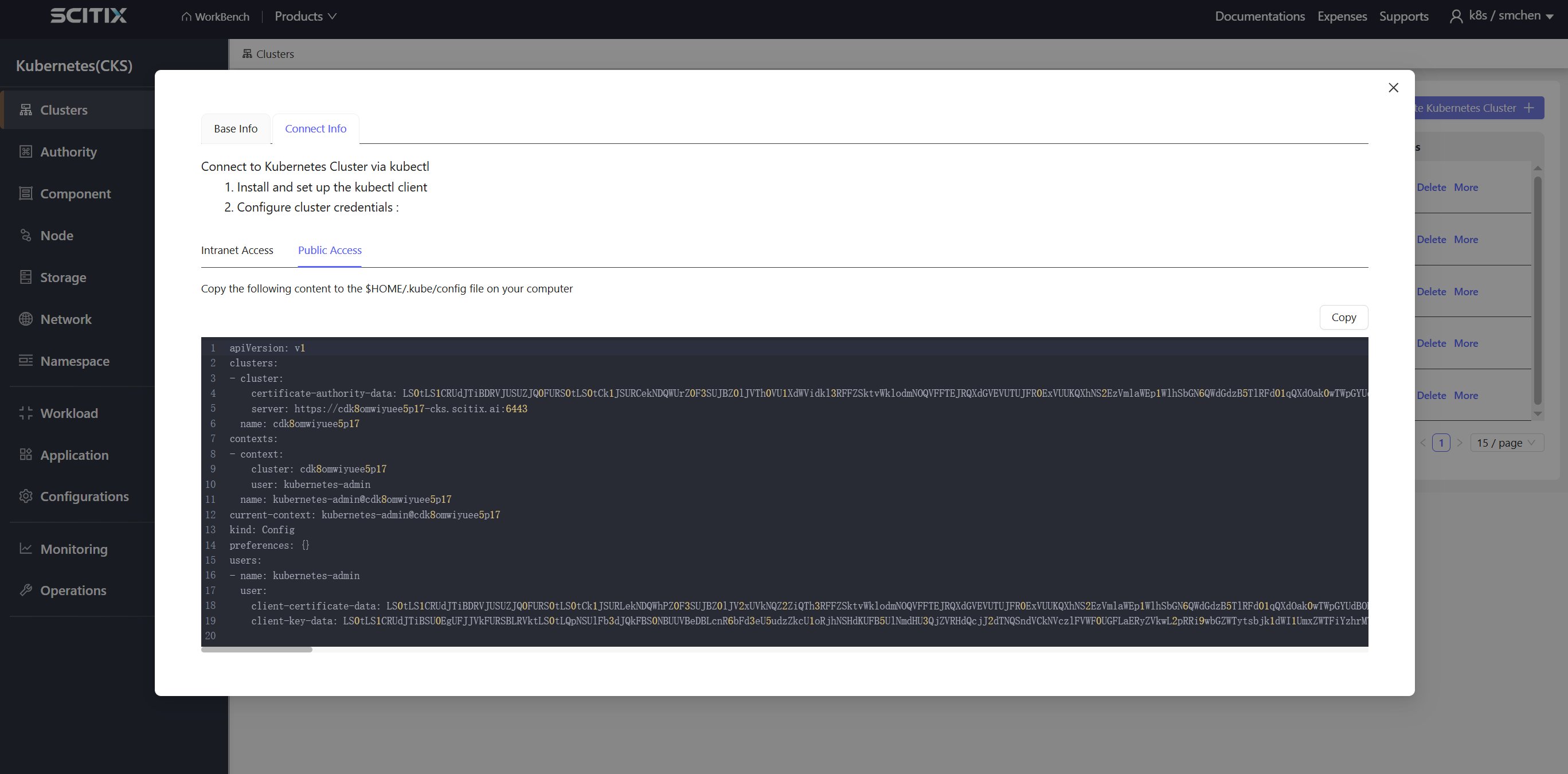
- Navigate to the Container Service > Kubernetes (CKS) cluster list page.
- In the Actions column of the target cluster, click Detail.
Base Info
The Base Info tab displays the basic information of the cluster: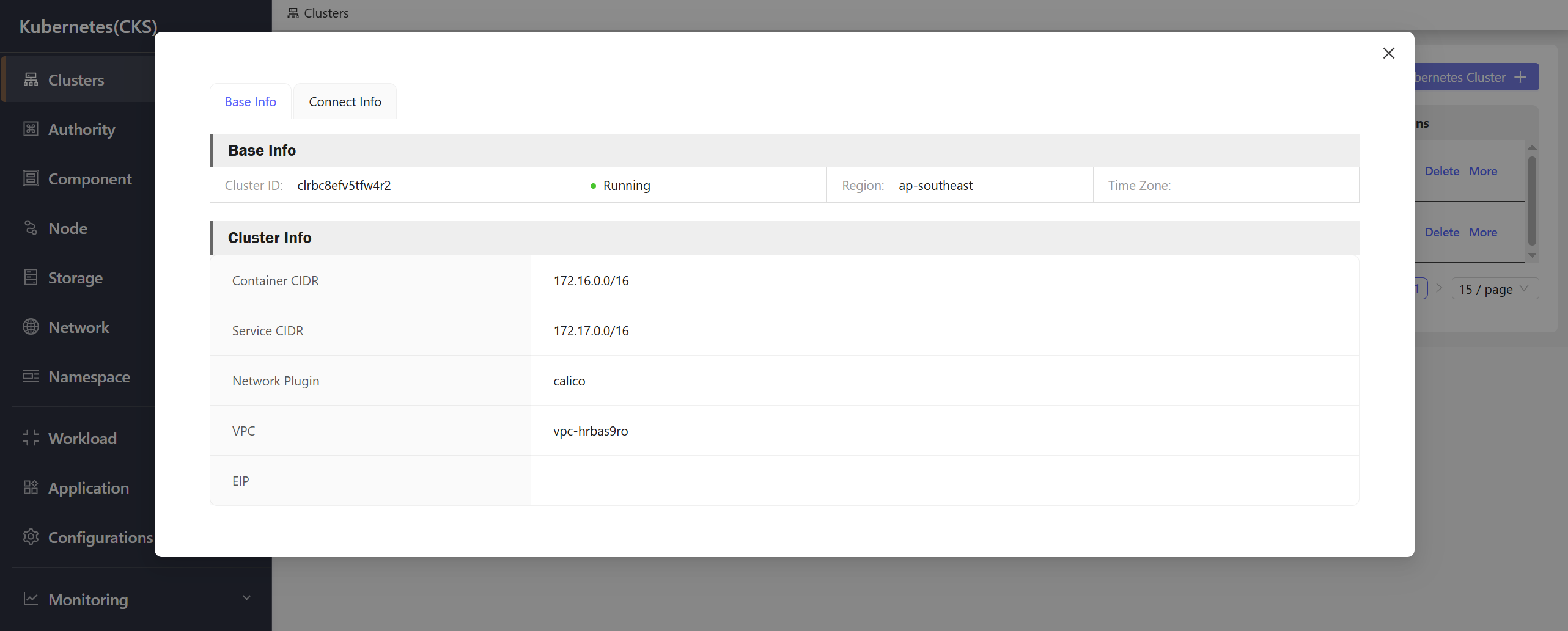
Connect Info
The Connect Info tab provides kubeconfig files for connecting to the cluster:Intranet Access
Use the intranet kubeconfig to connect to the cluster from within the internal network.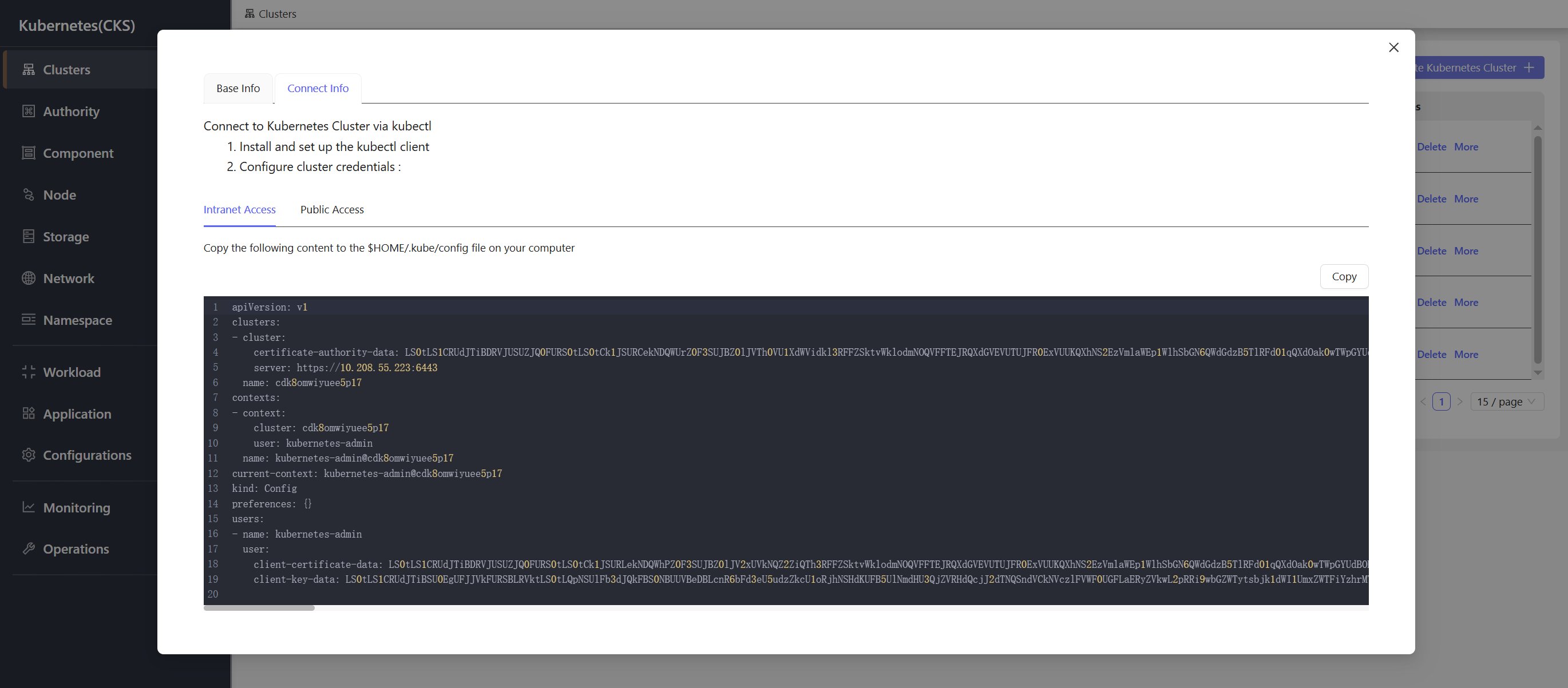
Public Access
Use the public kubeconfig to connect to the cluster from an external network.