

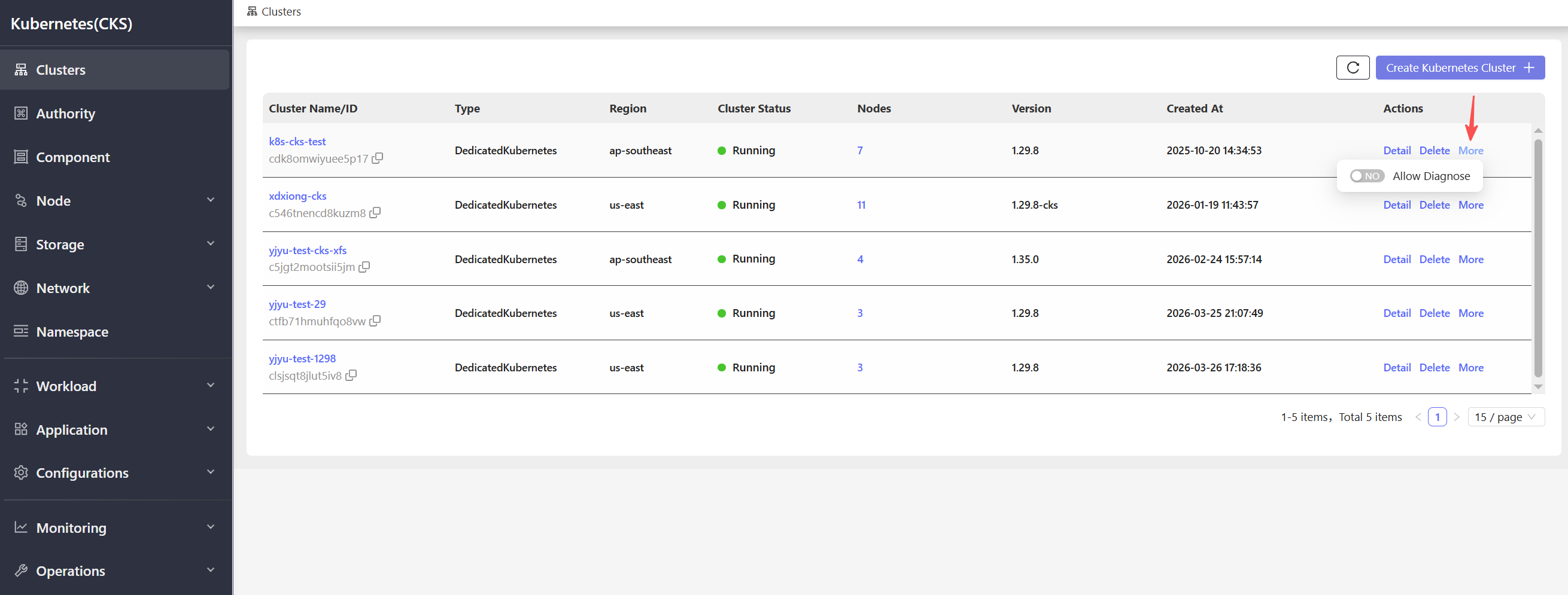
Allow Diagnose
Enabling Allow Diagnose grants the platform permission to perform diagnostic operations on the cluster. This is useful when troubleshooting cluster issues with technical support.- Navigate to the Container Service > Kubernetes (CKS) cluster list page.
- In the Actions column of the target cluster, click More.
- Select Allow Diagnose from the dropdown menu.
- Confirm the operation in the dialog that appears.