

http://localhost:3210.
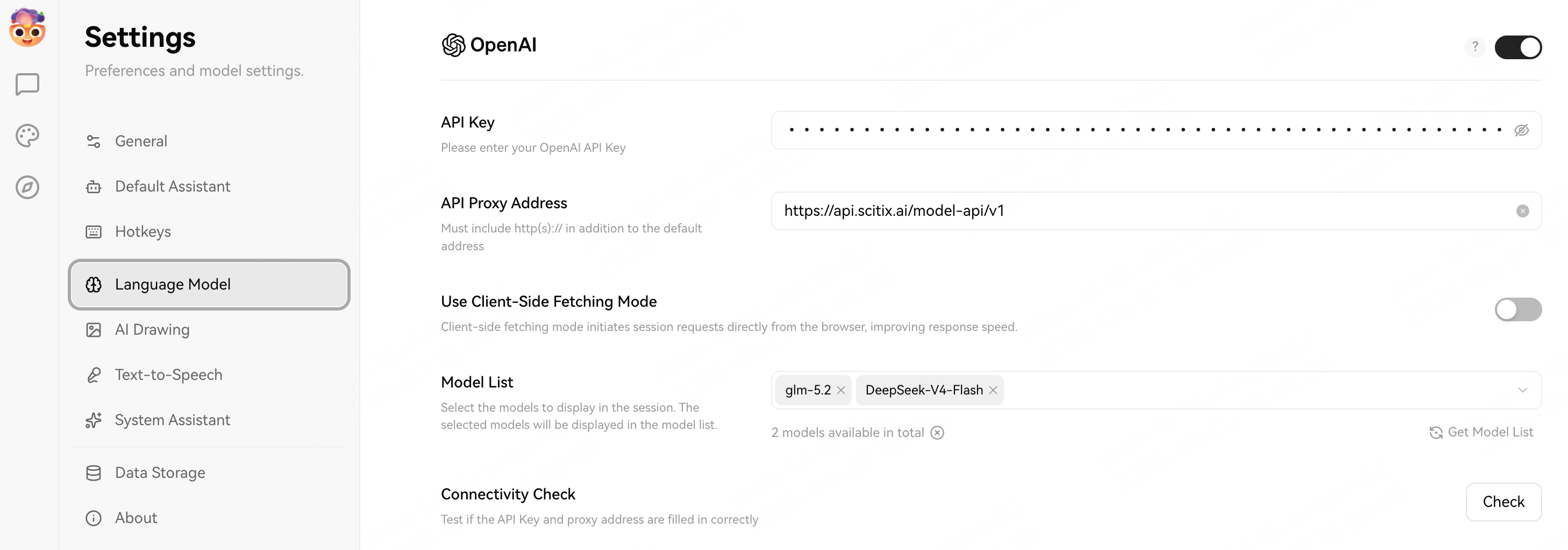
Supported models include glm-5.2 and DeepSeek-V4-Flash. See the model catalog.
Configure
Create an API Key on the API Keys page, then open Settings → Language Model → OpenAI and fill in the required fields.
Choose a model with native tool calling if you use plugin or agent features.
Make sure the OpenAI provider is enabled with the toggle at the top right, then click Check (Connectivity Check) to confirm that the API Key and proxy address work.
Verify
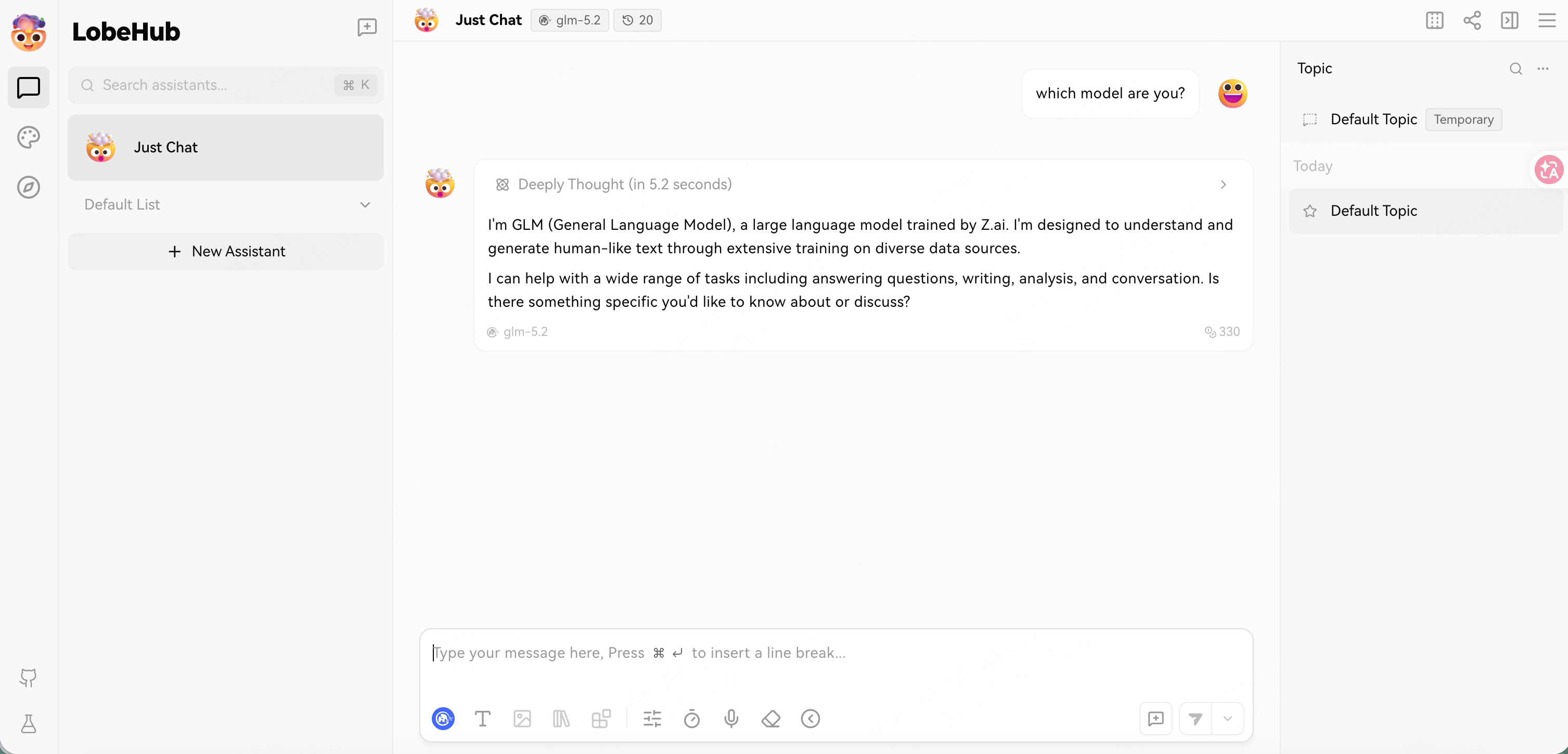
Open a conversation, selectglm-5.2 from the model selector at the top, and send a message. A normal reply confirms that the connection works.
The assistant may identify itself as “GLM” or “LobeHub assistant” rather than the exact model ID. That is the app’s own system prompt, not a routing issue; the model selector still shows the ScitiX model in use.
FAQ
- Models missing from the selector: confirm that the OpenAI provider toggle is on and that the Model List contains the ScitiX model IDs.