glm-5.2; see the Models page for the full list and pricing.
Deploy Langflow per the official guide (pip install langflow, then langflow run), and open the UI (default http://localhost:7860).
Configure
Create an API key on the ScitiX API Keys page. Open Settings → Model providers, pick OpenAI Compatible, and fill in:
Use the OpenAI Compatible provider, not OpenAI. The former exposes the Base URL field needed for a custom endpoint like ScitiX.
Once connected, ScitiX models load into the provider — search for
glm-5.2 and toggle it on.
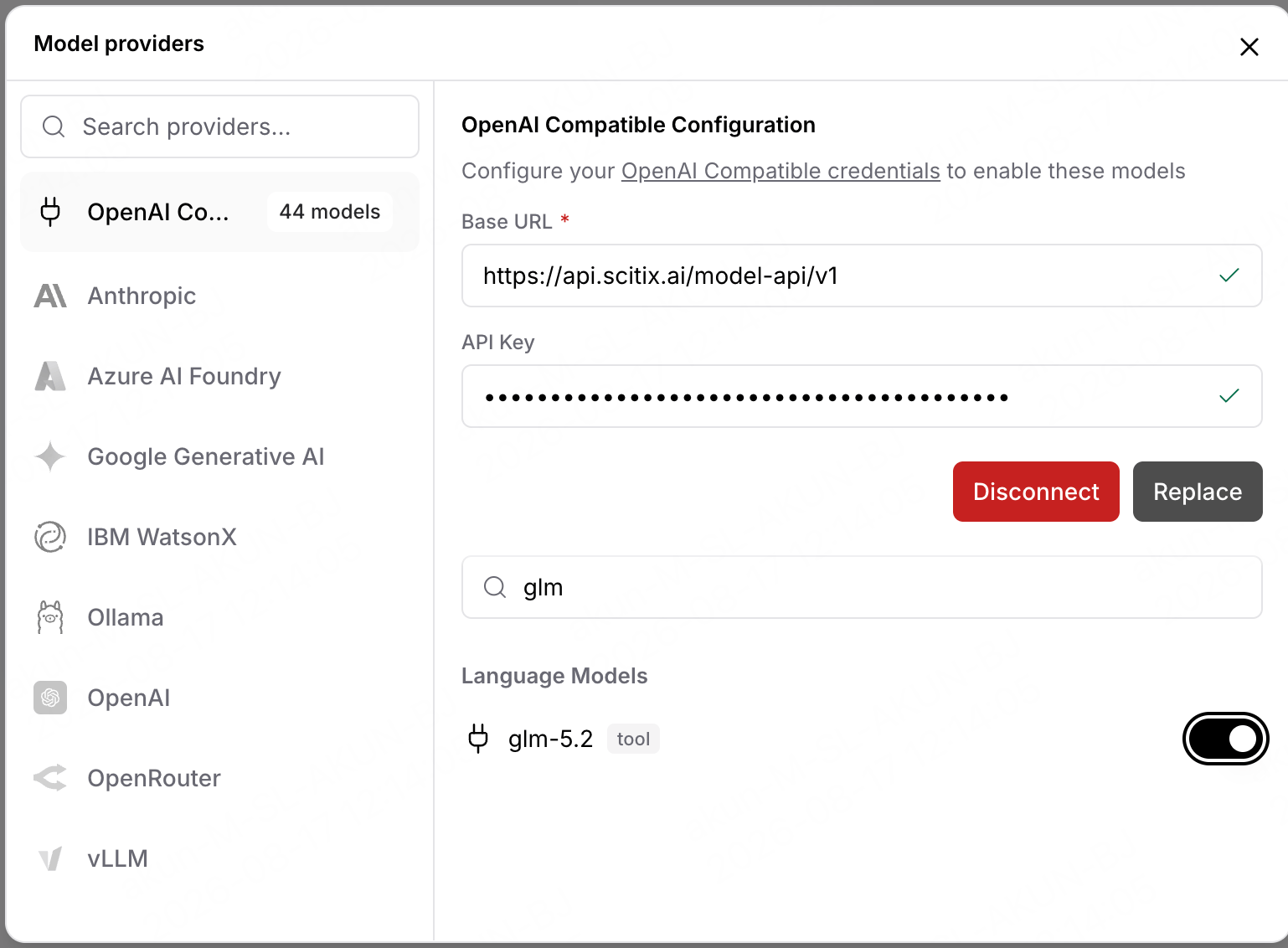
glm-5.2 — select it. Models are enabled per-provider in Model providers; if glm-5.2 isn’t in a node’s dropdown, confirm it’s toggled on there. For agent flows, pick a tool-calling model; glm-5.2 shows a tool tag and supports the Agent node’s tool calling.
Verify
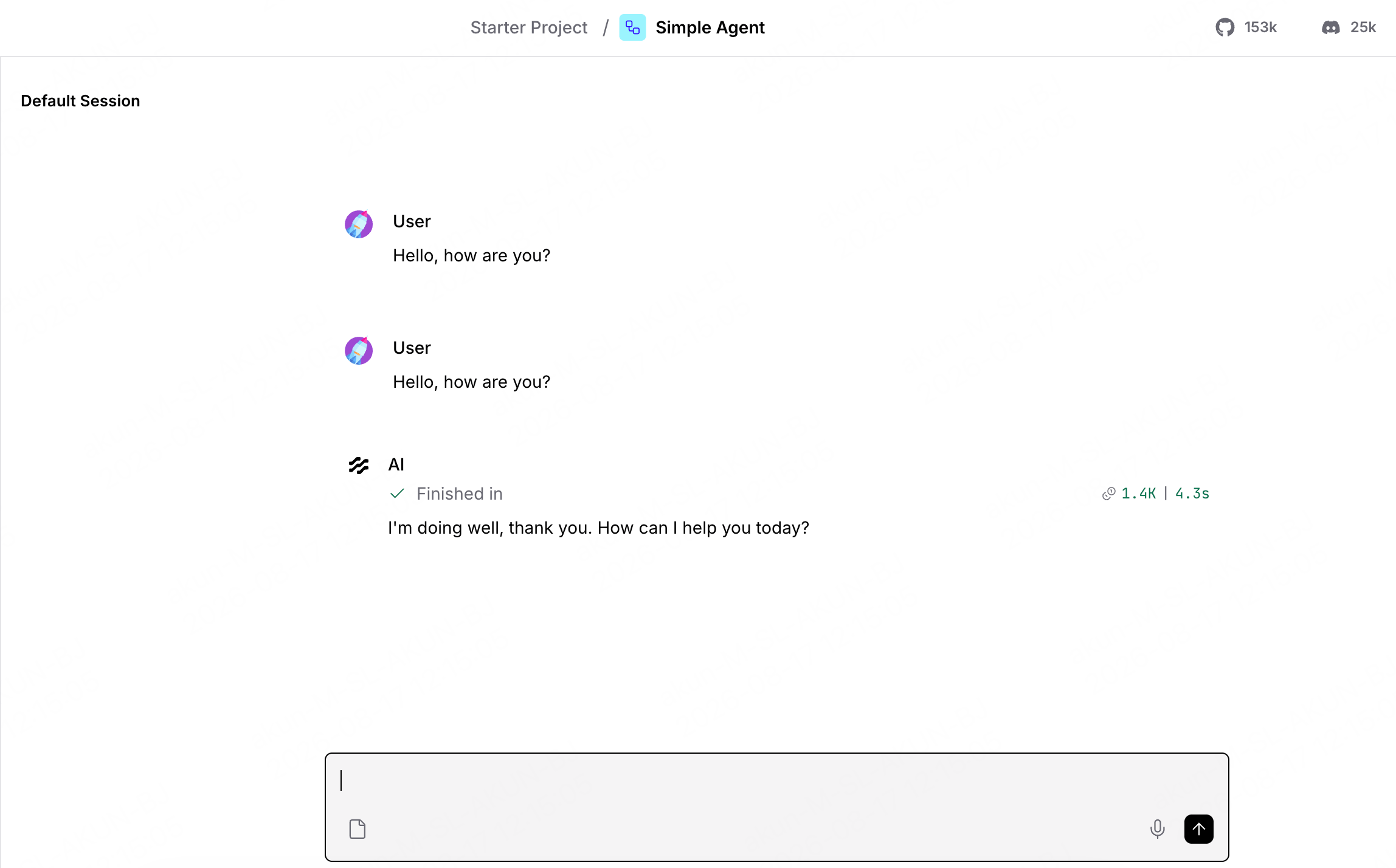
Open a flow, such as the Simple Agent template, set the model toglm-5.2, open the Playground, and send a message — a normal reply confirms the connection.