

glm-5.2 as an example. For the full model list and pricing, see Models.
Configure
Create an API Key on the API Keys page. Open the LangBot admin panel, go to Settings > Models, choose Add Provider, and fill in: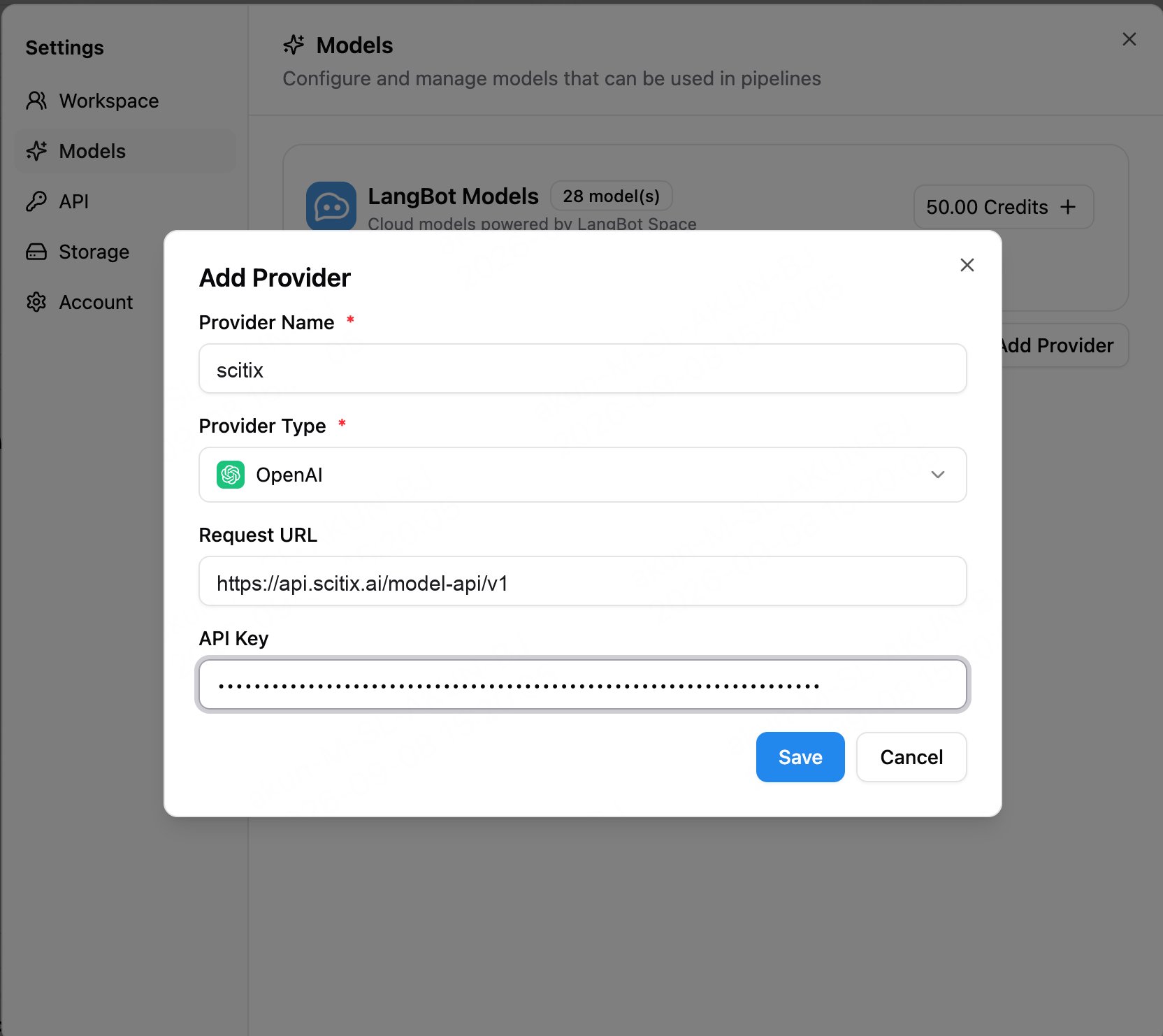
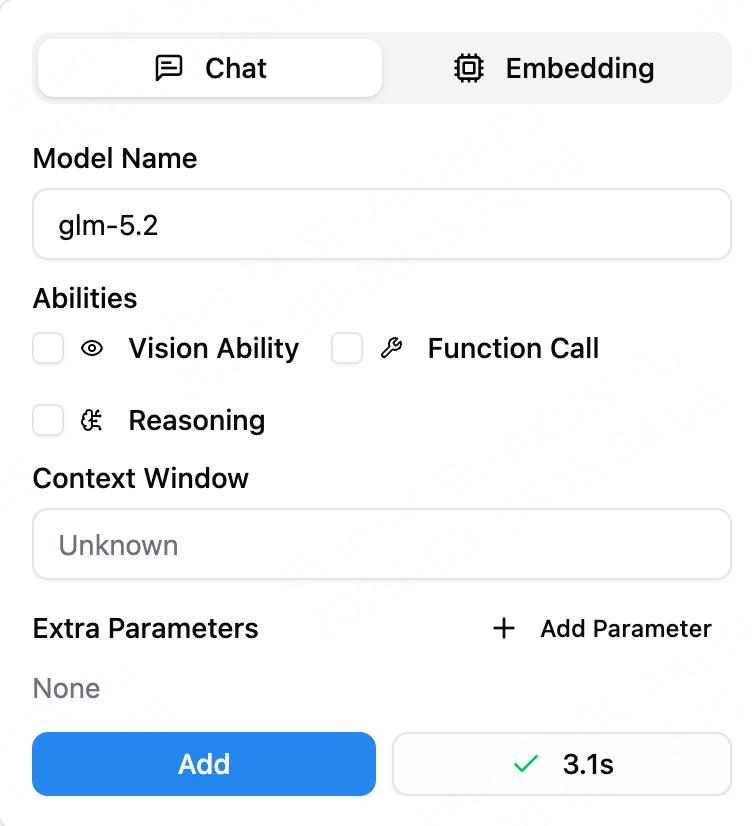
glm-5.2. Enable capabilities such as Function Call if your scenario requires them.
Verify
When you add a model, LangBot sends a connectivity test to the ScitiX endpoint. A green check mark, such as3.1s, means the connection is successful.
FAQ
- Provider Type: Select OpenAI. Its Request URL is configurable, so no dedicated ScitiX preset is required.
- Tool or agent capabilities:
Choose a model that supports tool calling and enable Function Call when needed.
glm-5.2supports tool calling. - Personal WeChat or personal QQ adapters: Third-party protocol adapters may carry compliance and account-ban risks. For production use, prefer official channels such as Feishu, DingTalk, WeCom, public accounts, QQ official bots, Discord, or Slack.