BasePath, so flows can run on the ScitiX Model Inference API.
Default model here is glm-5.2; see the Models page for the full list and pricing.
Deploy Flowise per the official guide and open the UI (default http://localhost:3000).
Configure
Create an API key on the ScitiX API Keys page. In Flowise, open Credentials → Add Credential → OpenAI API, name it (e.g.Scitix), and paste the ScitiX key.
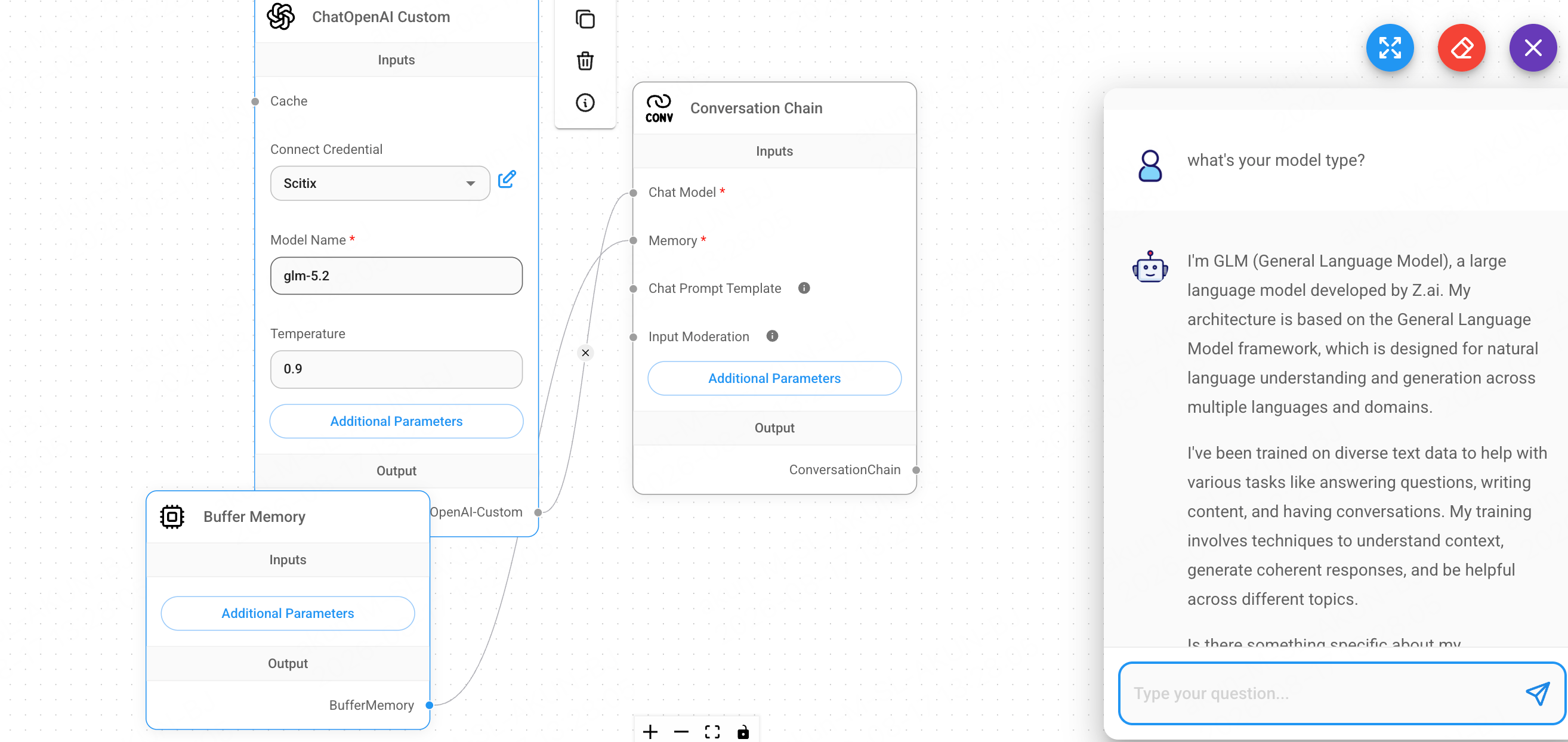
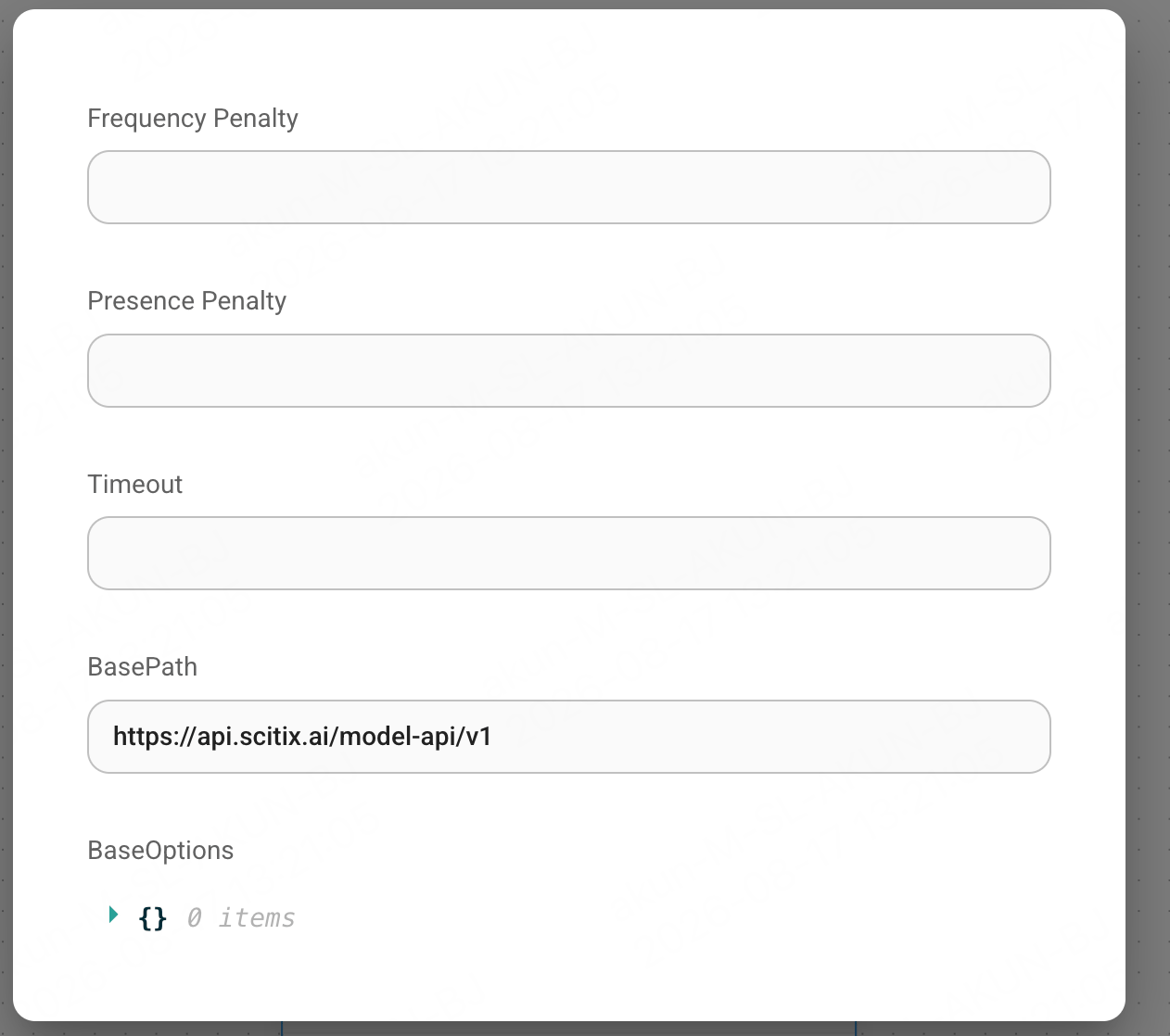
In a flow, add a ChatOpenAI Custom node and set:
Use the ChatOpenAI Custom node, not plain ChatOpenAI. It exposes the
BasePath field and does not validate the model name against OpenAI’s own list, which is what lets ScitiX IDs like glm-5.2 through.
Verify
A Chatflow’s ending node must be a Chain / Agent / Engine, not the model node itself. Add a Conversation Chain, wire the ChatOpenAI Custom node into its Chat Model input (add a Buffer Memory for the Memory input), then open the chat and send a message — a normal reply confirms the connection.