glm-5.2; see the Models page for the full list and pricing.
Deploy it per the official guide (e.g. the xiangfa/deep-research Docker image on port 3000).
Configure
Deep Research has two API Modes: Local (the browser calls the model API directly) and Proxy (the app’s server calls it). Use Proxy for ScitiX. In Local mode the browser callshttps://api.scitix.ai/... directly (cross-origin); the ScitiX gateway does not return CORS headers for browser requests, so the call is blocked with error [TypeError]: Failed to fetch. This is a browser CORS limitation, not a key/URL mistake. Proxy mode makes the request from the app’s server (same-origin to the browser), which avoids it.
Create an API key on the ScitiX API Keys page and set the server-side environment (Proxy mode reads the key and endpoint from here):
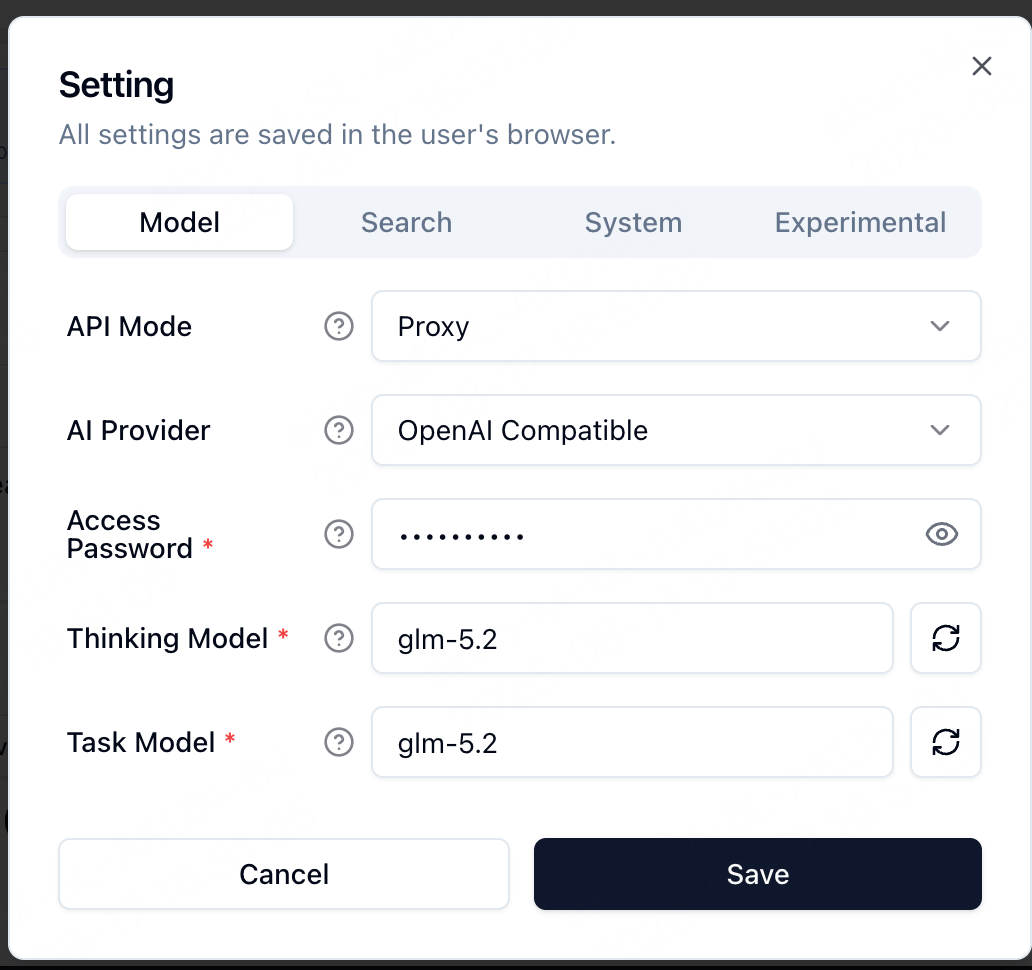
Then in the UI open Settings → Model and set:
Verify
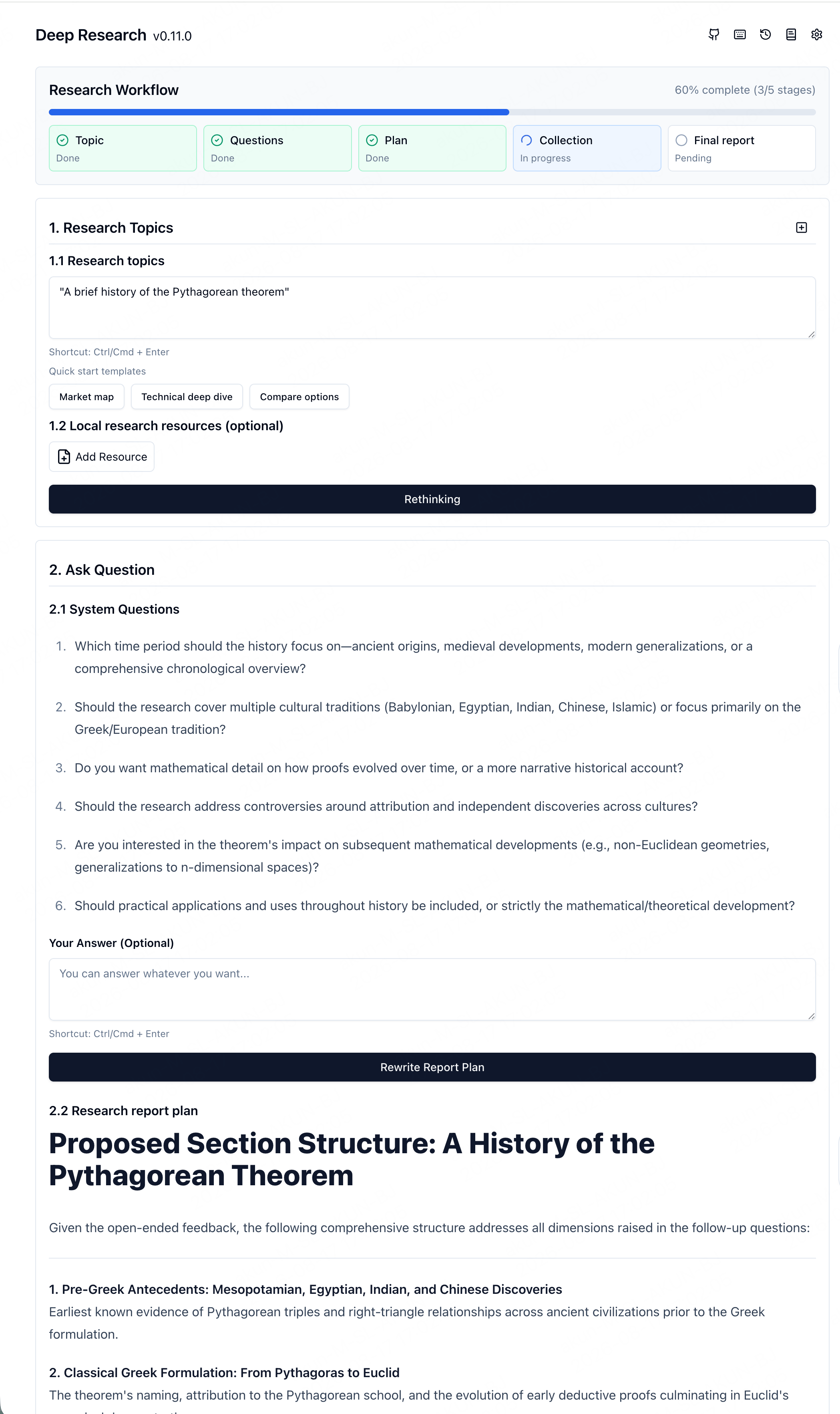
Enter a research topic and start — Deep Research runs its stages (topic → questions → plan → collection → report) using glm-5.2 through ScitiX: