

glm-5.2 and DeepSeek-V4-Flash. For the full list and pricing, see the model catalog.
Configure
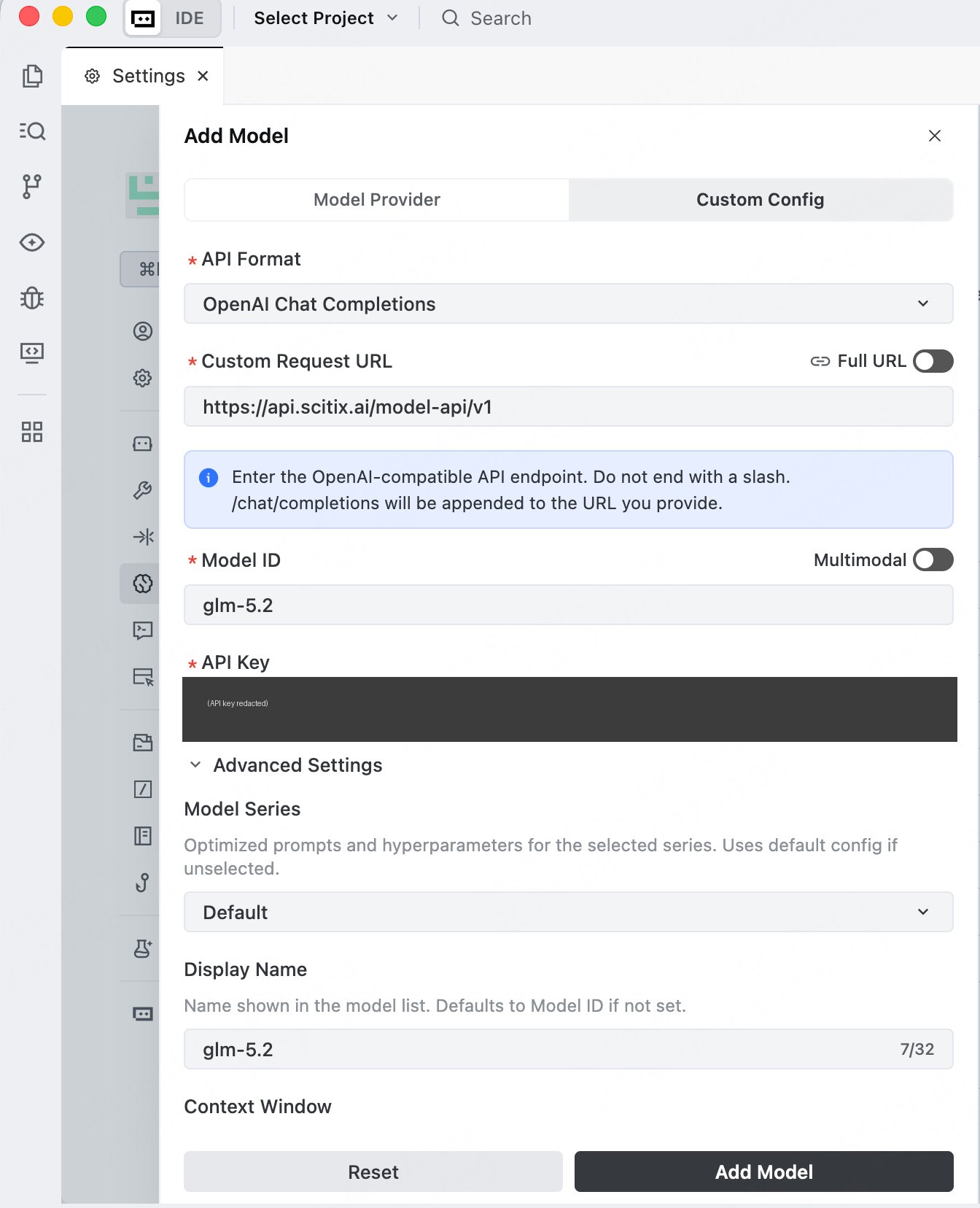
Create an API Key on the API Keys page first.- Open Settings → Models, click Add Model, and switch to the Custom Config tab.
-
Fill in the required fields.
Leave the Full URL toggle off. TRAE appends
/chat/completionsto the URL you provide, so enter the base endpoint without a trailing slash. Under Advanced Settings, you can set a Display Name and Context Window. Multimodal is a separate toggle in the Add Model dialog; enable it only for a vision-capable model. Choose a model with native tool calling for the agent’s file actions. - Click Add Model.
Verify
Open the agent panel, select the ScitiX model from the model picker at the bottom, and give it a task. TRAE plans the task and edits files, asking you to keep or undo the changes. A normal reply confirms that the connection works.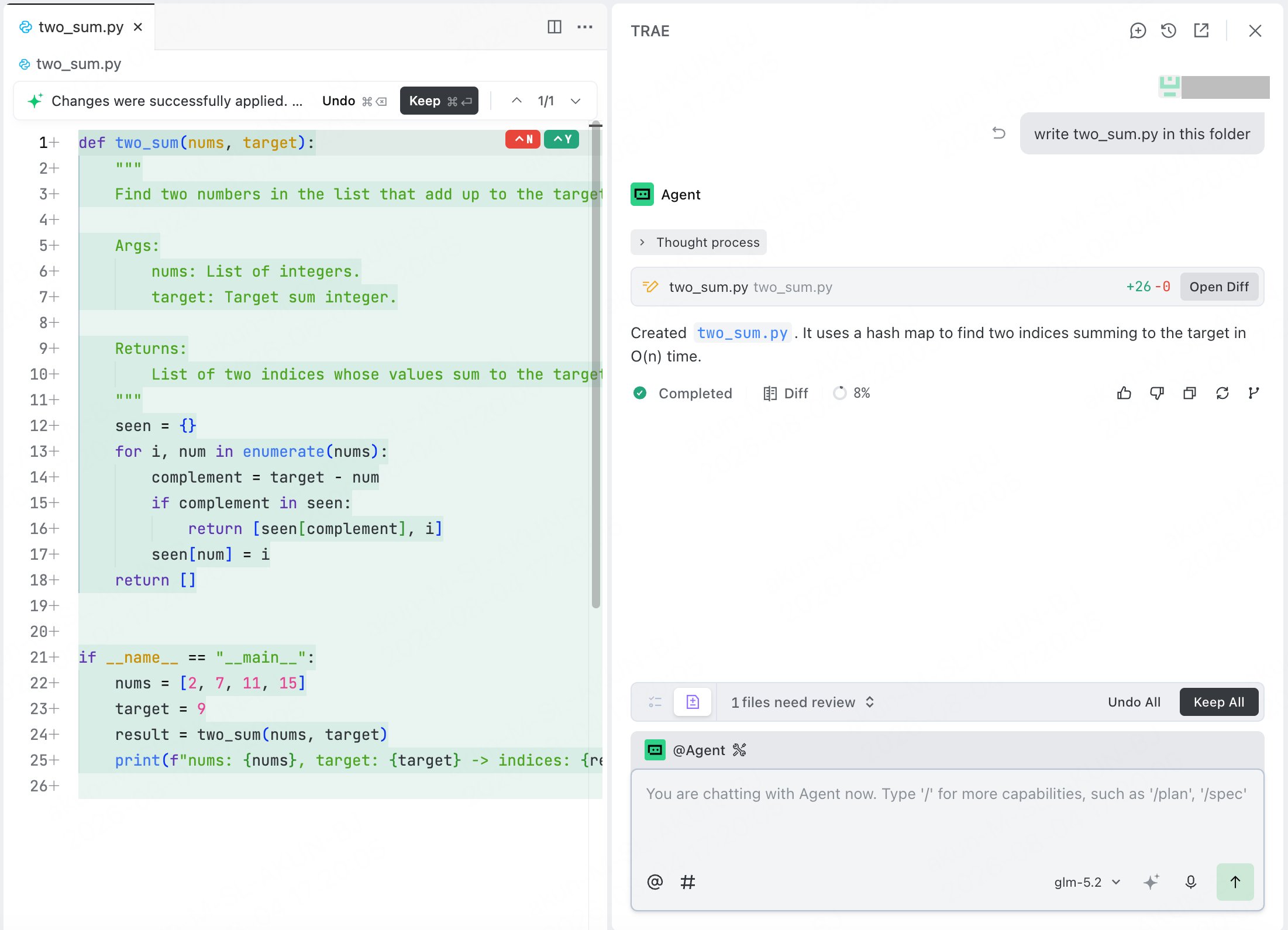
FAQ
- Model not responding / no edits: confirm that the selected model is the ScitiX model you added, and that it supports native tool calling.