

glm-5.2 supports it. For the full list and pricing, see the model catalog.
Configure
Create an API Key on the API Keys page first.- Click the Roo Code icon in the sidebar, then open Settings (⚙️) → Providers.
- Under API Provider, select OpenAI Compatible.
-
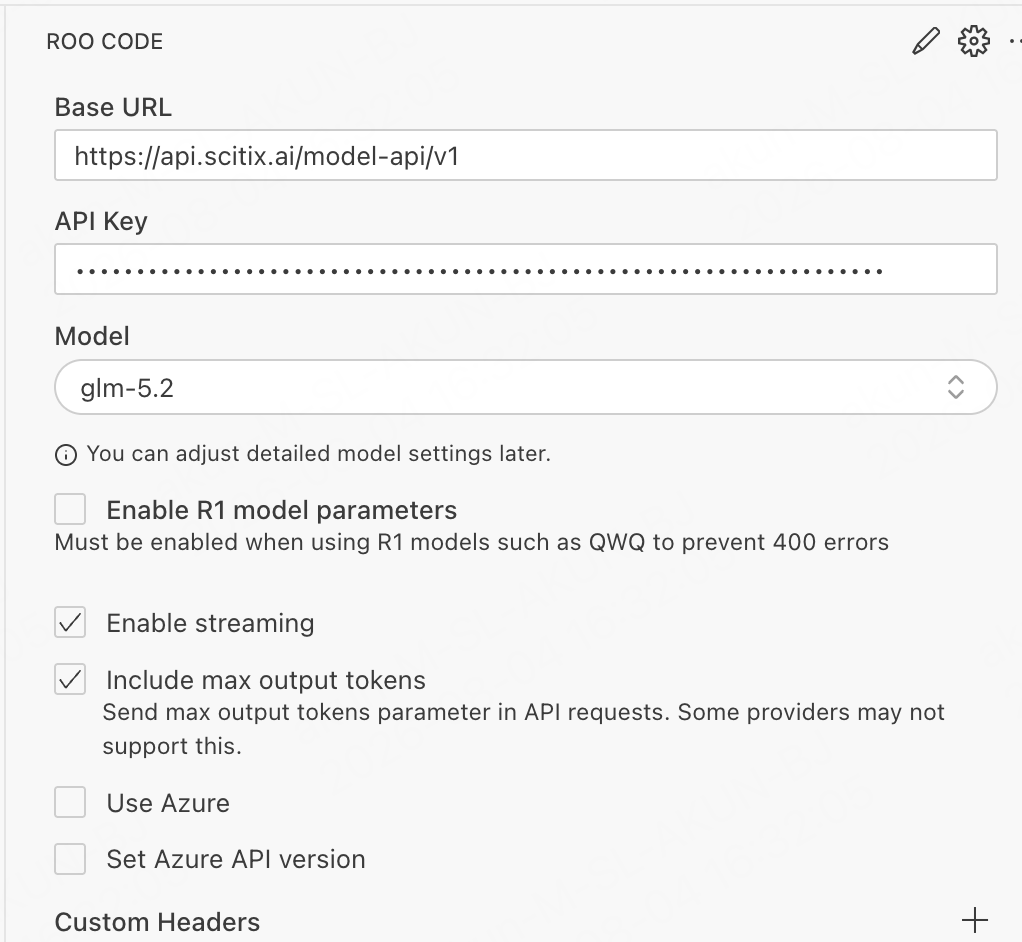
Fill in the required fields.
- Keep Enable streaming on.
- Leave Enable R1 model parameters off. It is only for R1-style models such as QWQ.
- Optional: adjust Context Window and Max Output Tokens under the model settings to match your chosen model. If the context window exceeds the actual value for the selected model, context overflow may occur.
- Save the configuration.
Verify
Switch to Code mode and give Roo Code a task, such as “create test.txt in current folder and write in hello”. Roo Code plans the task and requests to write the file. Approve the action. A normal reply confirms that the connection works.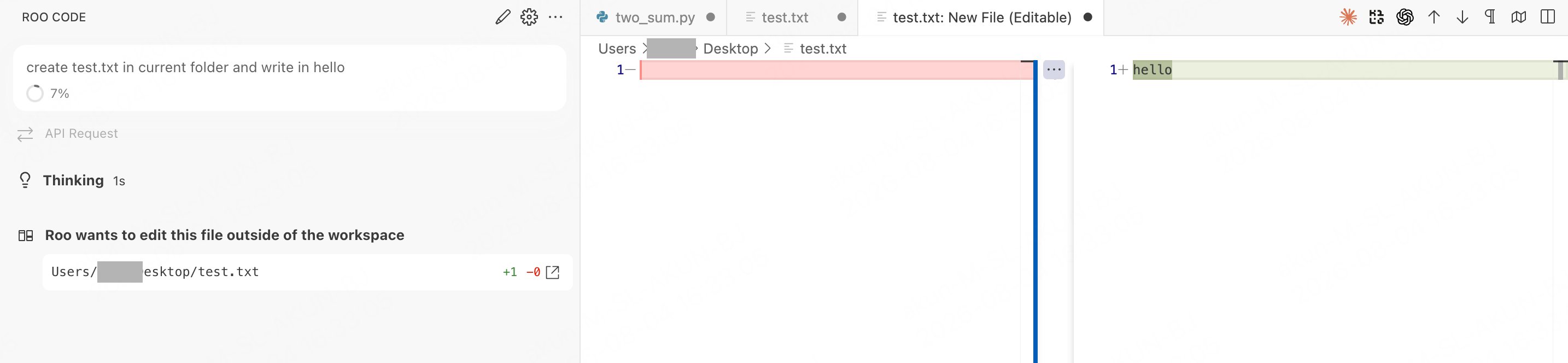
FAQ
- Stuck thinking, then errors / no tool calls: the model does not support native tool calling. Roo Code has no XML fallback, so switch to a model that supports it.
glm-5.2works. - 404: the Base URL ending in
/v1is enough. No extra path is needed.