

- Custom API keys only work with chat models. Tab completion and other features built on Cursor’s own models continue using Cursor’s built-in models.
- BYOK requests are sent through Cursor’s backend to the configured endpoint, and Cursor’s Zero Data Retention policy does not apply to BYOK usage.
Configure
Create an API Key on the API Keys page, then open Cursor Settings → Models.- In the model list, uncheck the pre-configured models. Pre-configured models route through Cursor’s own channels, not your key.
-
Click Add Custom Model and add
DeepSeek-V4-Flash. Do not addglm-5.2here. Cursor’s built-in catalog already contains a GLM 5.2 entry, so the duplicate name is rejected. The built-in entry uses Cursor’s official channel, not your key. Pick ScitiX model IDs that do not collide with Cursor’s built-in list, such asDeepSeek-V4-ProorDeepSeek-V4-Flash. - Scroll to API Keys → OpenAI API Key and paste your ScitiX API Key.
-
Enable Override OpenAI Base URL and set it to:
- Turn the OpenAI API Key toggle on.
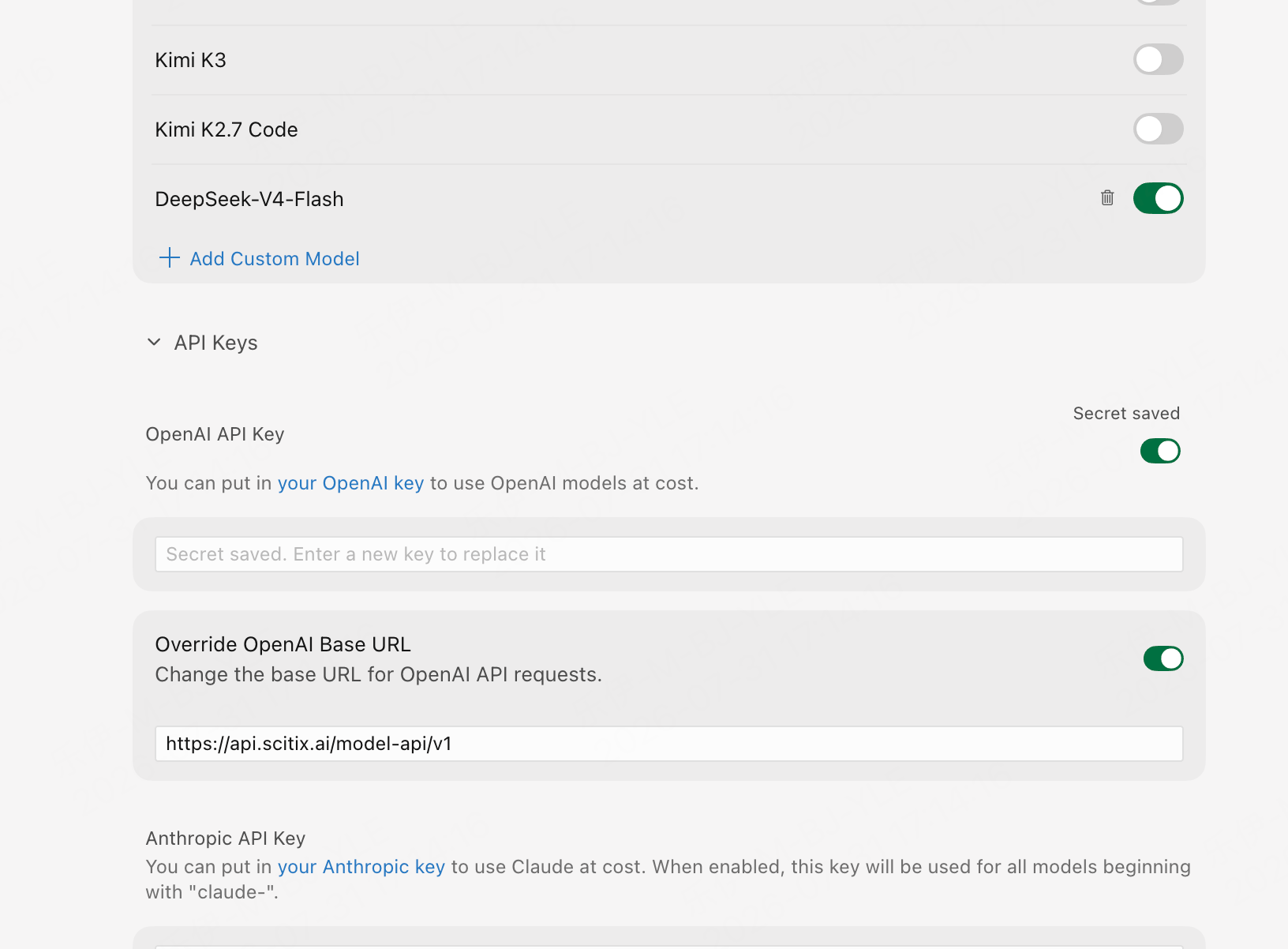
The Base URL override is no longer described in Cursor’s official documentation, and its UI location may change between versions. As of late July 2026, it lives under Cursor Settings → Models → API Keys.
Verify
Open Chat (Cmd/Ctrl+L), select the model you added in the picker, and send a message. A normal reply confirms that the connection works.
Since these model IDs only exist on ScitiX, a reply is proof that the override is in effect. You can also see the calls on the ScitiX console’s usage page.
FAQ
- Selecting a built-in model gets no reply when only your BYOK key is configured. Built-in entries, such as the catalog’s GLM 5.2, do not route through the Base URL override. Use the models you added through Add Custom Model.
- Tab completion not working on ScitiX models is expected. It is a product limitation of custom keys, not a configuration error.