glm-5.2 and DeepSeek-V4-Flash. For model pricing, see the model catalog.
Configure
You can configure AnythingLLM through the onboarding UI, the settings page, orserver/.env for a self-hosted deployment.
1. Configure the Generic OpenAI provider
During onboarding, or later under Settings → AI Providers → LLM, choose Generic OpenAI as the LLM provider and fill in the required fields.
When configuring workspace chat mode:
- When the workspace chat mode is left on its default and the model supports native tool calling, AnythingLLM routes to its agent flow.
- Set the workspace chat mode to chat for plain conversation, or keep the default for agent and tool use.
- Choose a model with native tool calling if you rely on agents or document-tool features.
glm-5.2supports tool calling.
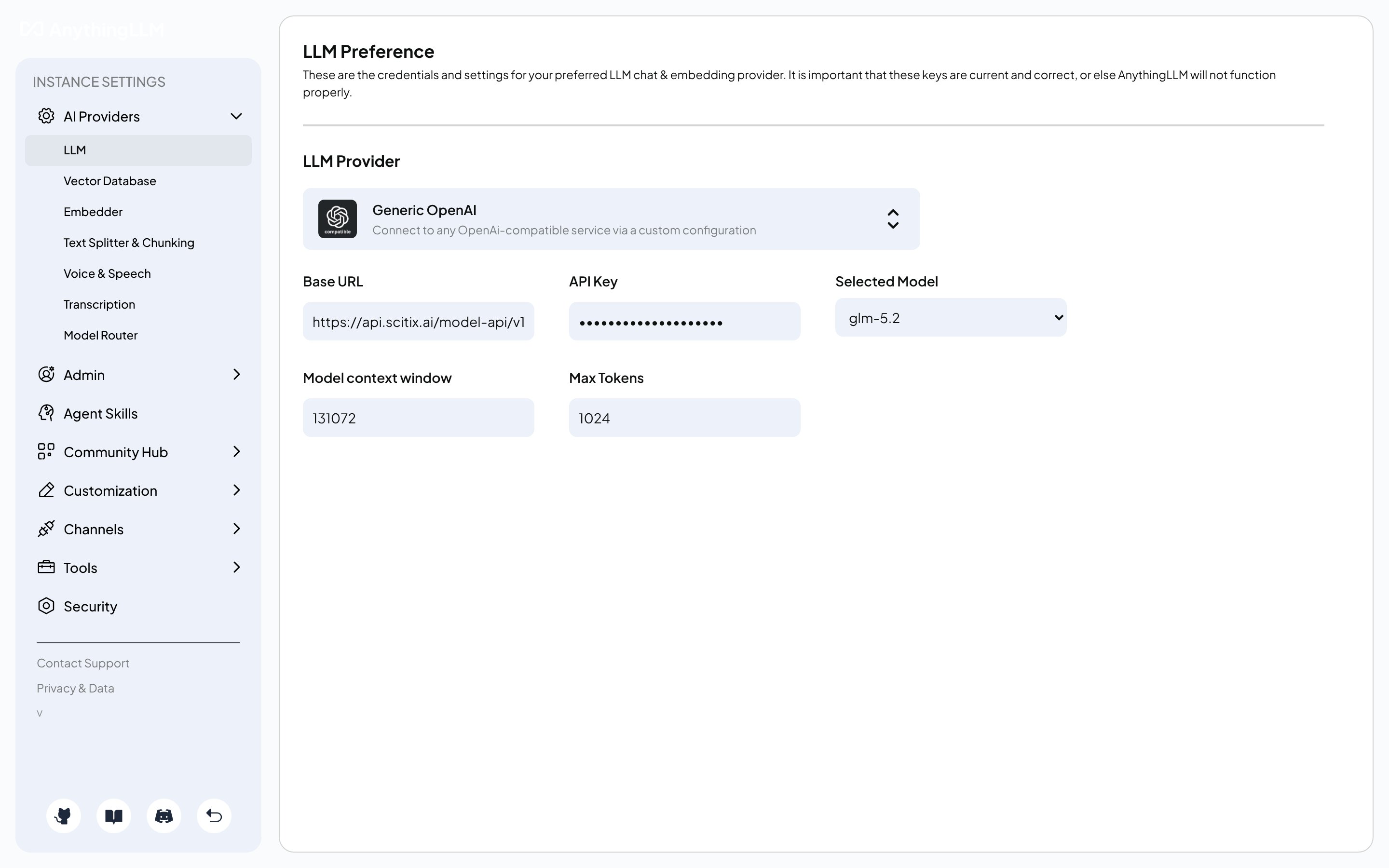
2. Configure server/.env for self-hosted deployments
For a self-hosted deployment, either bare-metal or Docker, set the same values in server/.env:
Verify
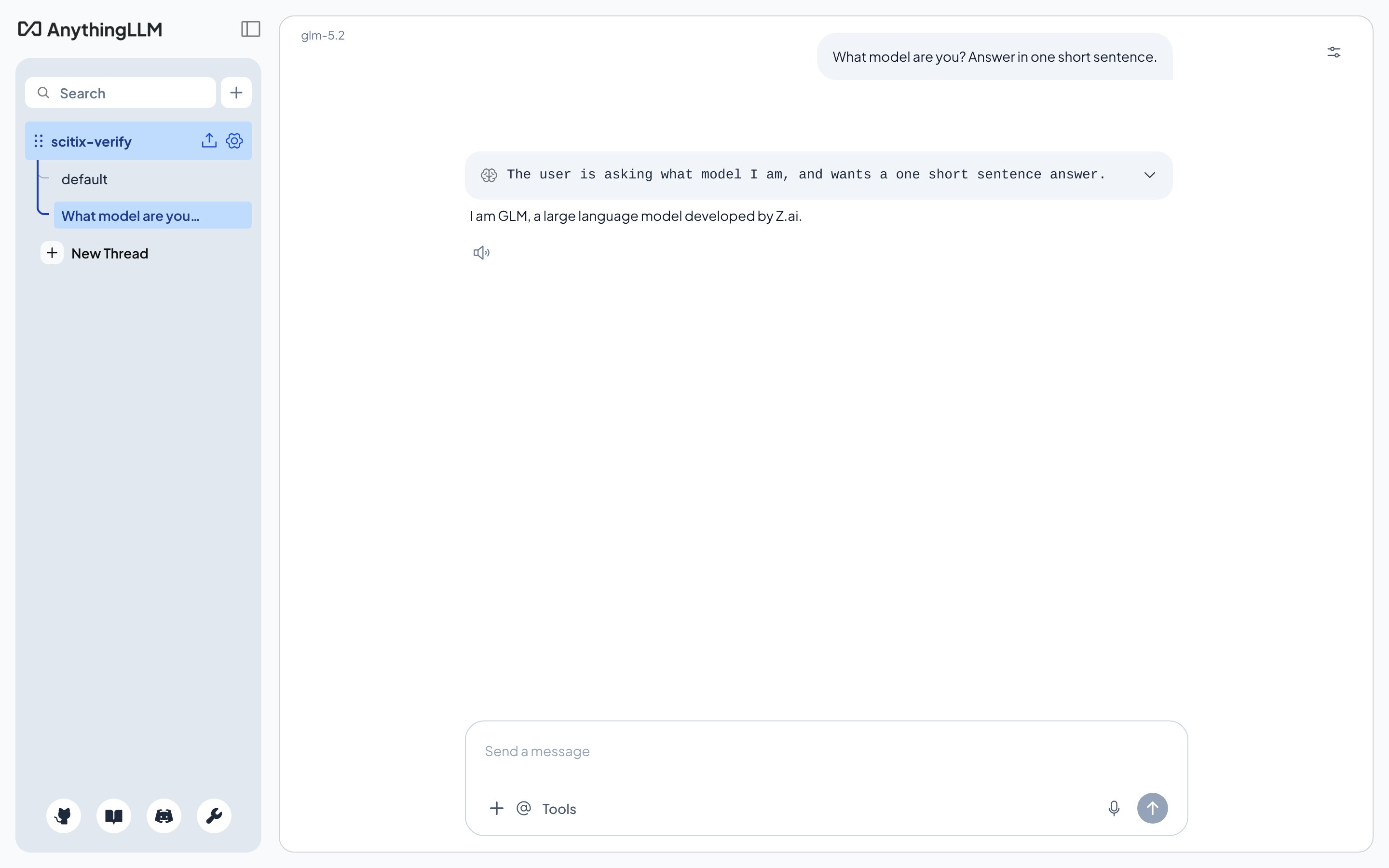
Create a workspace, confirm that the model shown at the top is your ScitiX model, and send a message. A normal reply confirms that the connection works.