

glm-5.2 and DeepSeek-V4-Flash, and pricing, see the model catalog.
Configure
Create an API Key on the API Keys page first.1. Install the Zotero GPT plugin
Download the latestzotero-gpt.xpi from the releases page.
In Zotero, open Tools → Plugins, click the gear icon, choose Install Plugin From File…, and select the .xpi. Enable it if prompted. A GPT icon appears in the toolbar.
2. Configure ScitiX
Open the GPT box by clicking the GPT toolbar icon. Then type these commands one at a time, pressing Enter after each:
Choose a model with native tool calling if you use the plugin’s agent or PDF-RAG features.
The active model is shown next to the Ask selector in the GPT box, such as
glm-5.2.
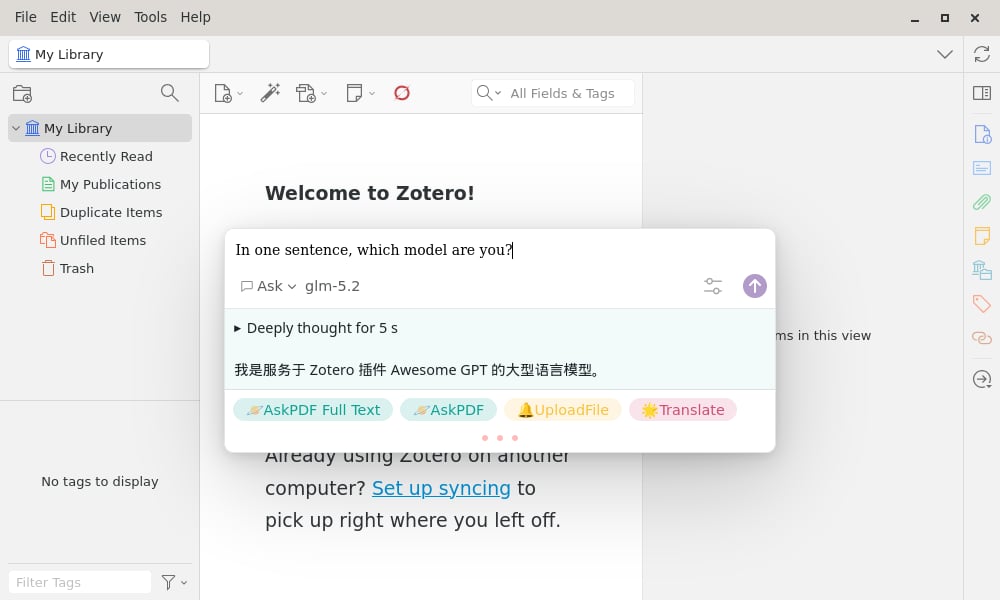
Verify
In the GPT box, type a question and press Enter. The reply streams from the ScitiX model.The assistant may identify itself as “Awesome GPT” or a generic model rather than the exact model ID. That is the plugin’s own system prompt, not a routing issue; the model shown next to Ask is the ScitiX model in use.