

glm-5.2 and DeepSeek-V4-Flash, and pricing, see the model catalog.
Configure
Create an API Key on the API Keys page first.1. Add the provider
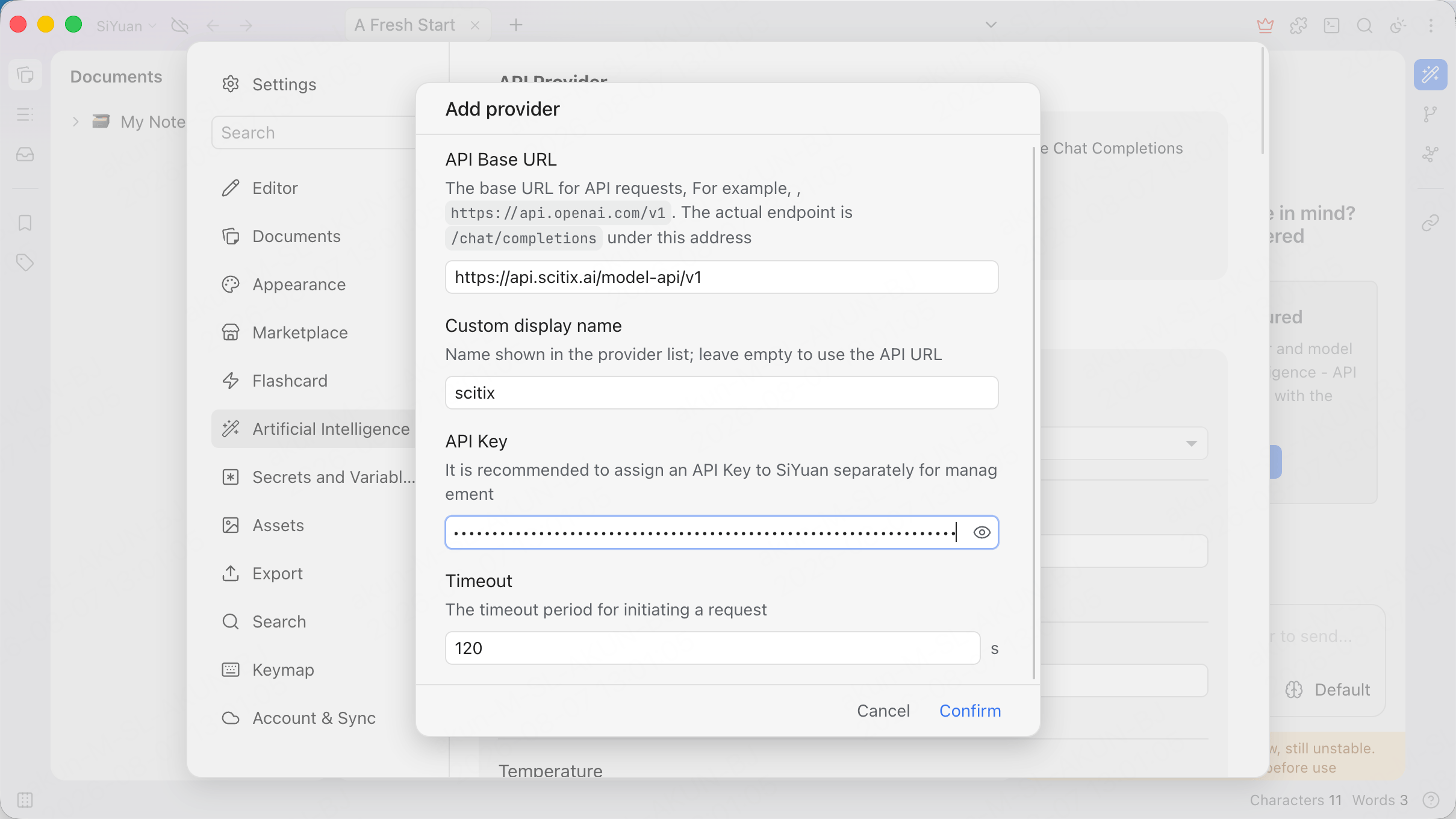
Open Settings → Artificial Intelligence, add a provider through the Add provider dialog, and fill in the required fields.
The dialog notes that the actual endpoint is
/chat/completions under this address, so the API Base URL ends with /v1.
2. Add the model
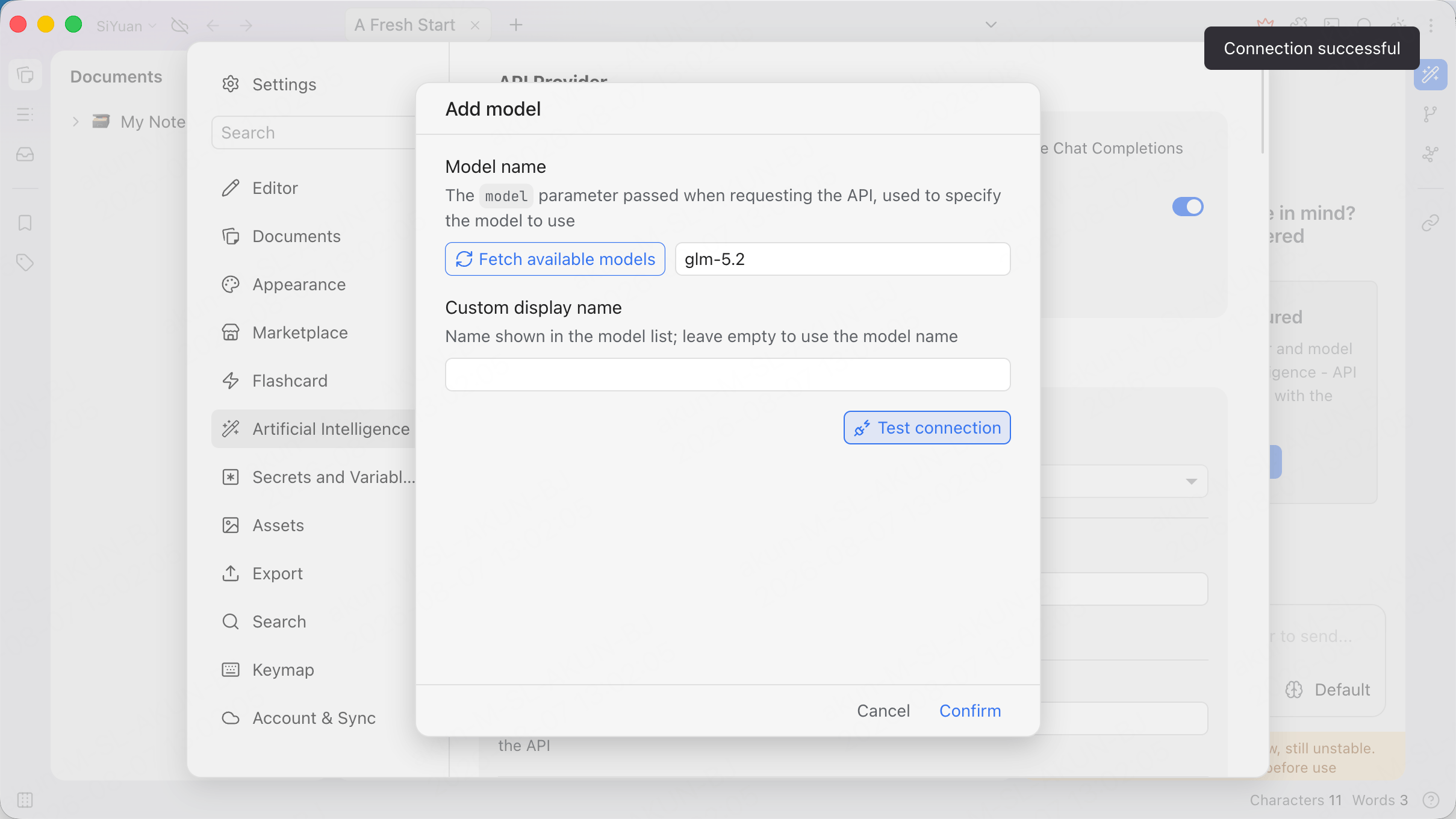
Add a model under the ScitiX provider through the Add model dialog. Set Model name toglm-5.2, or click Fetch available models.
Click Test connection. Expect Connection successful, then confirm.
Verify
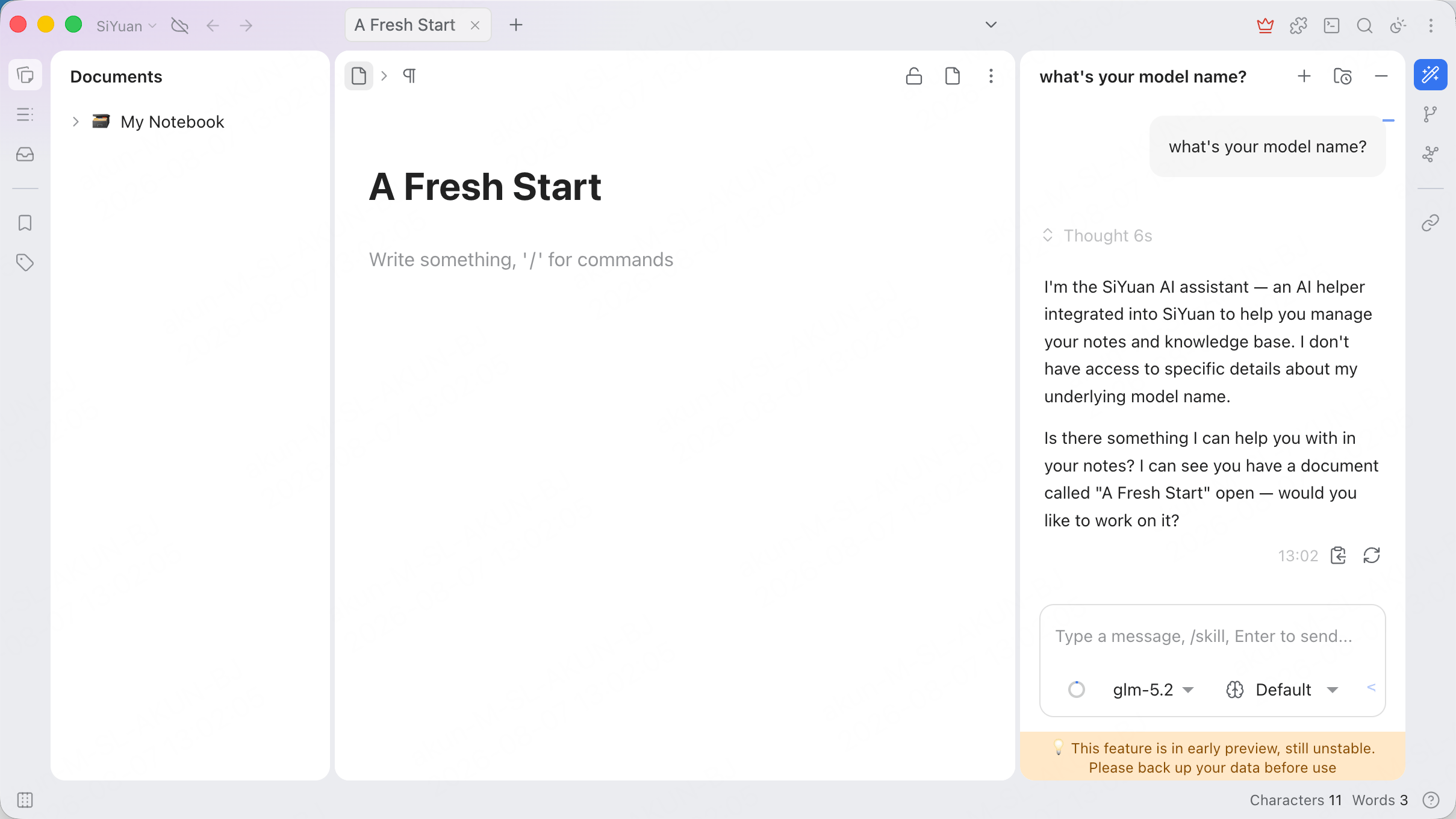
Open the AI chat panel, selectglm-5.2 from the model selector at the bottom, and send a message. A normal reply confirms that the connection works.
The assistant may identify itself as “the SiYuan AI assistant” rather than the underlying model. That is SiYuan’s own system prompt, not a routing issue; the model selector still shows the ScitiX model in use.
FAQ
- Model not responding: confirm the API Base URL, API Key, and model name. The model must be available over the OpenAI chat-completions protocol, such as
glm-5.2.