Subscribe to Preset Rules
- Log in to the GPU Cloud console and go to the Alerts page.
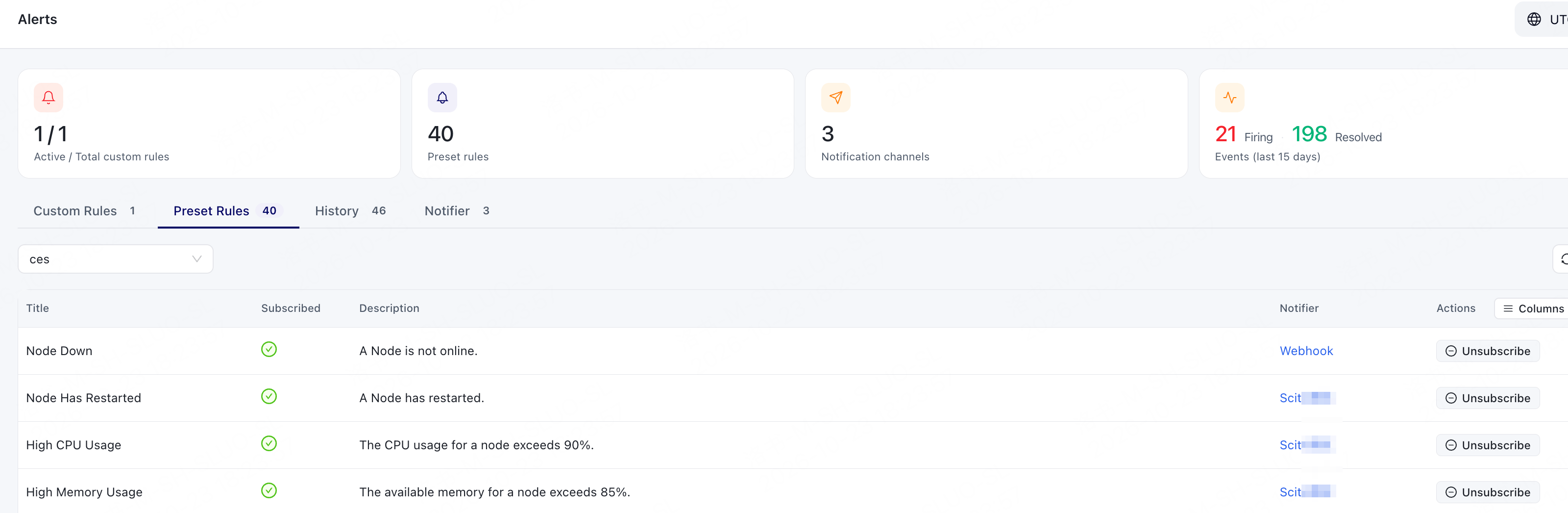
- Click the Preset Rules tab.
- Select a Module from the drop-down list.
- In the Preset Rules list, identify the rules to subscribe to based on the rule description and subscription status.
-
Based on the subscription status of the rules, subscribe to the Preset Rules that require attention.
To receive alarm messages, select a created Notifier.
After subscribing, confirm that the rule is in the Subscribed status.