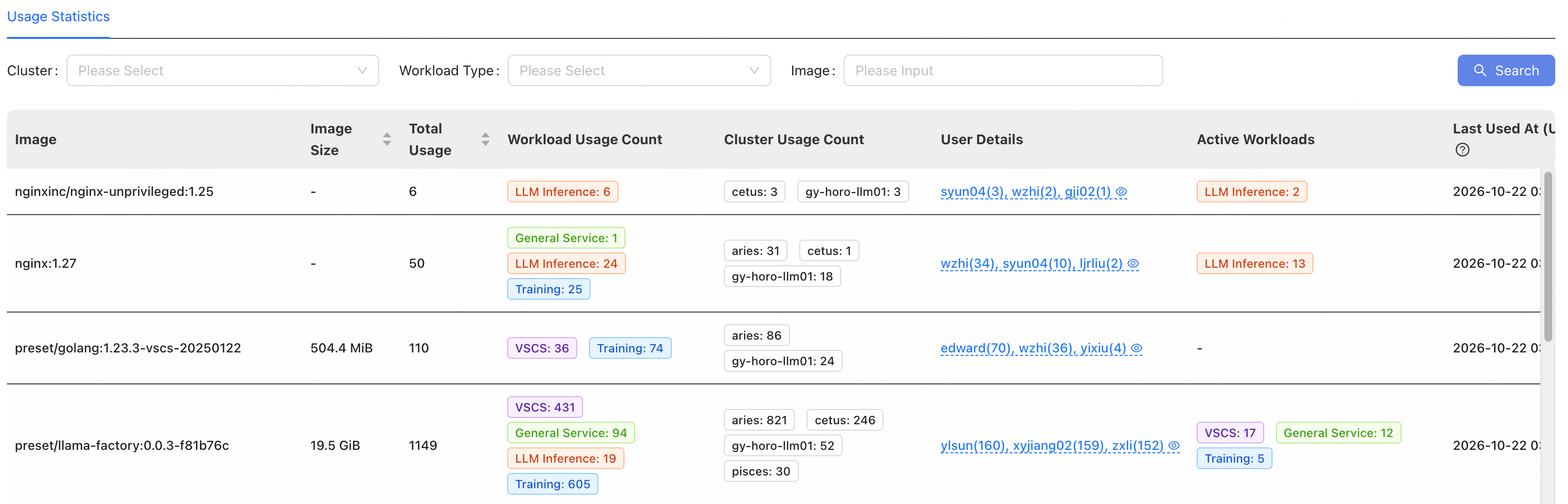
Image usage statistics help you analyze image use across workloads and clusters, determine whether an image is still in use, identify its users, and decide whether to keep it.

View Usage Statistics

  1. Go to Images > Image Governance.
  2. On the Usage Statistics tab, select a cluster or workload type, or enter an image name.
  3. Click Search.
Image Usage Statistics Results After searching, review the results based on your governance objective and decide whether to keep, replace, or delete the image: Platform images typically have the preset/ or custom/ prefix to distinguish preset images from custom images. Public images typically show the image URL or image name directly.