

Prerequisites
-
The GPFS file system is in the
Runningstate. - The CES instance or CKS cluster node to be mounted is in the same region as the GPFS file system. GPFS file systems cannot be mounted across regions. Only compute nodes in the same region as the file system can mount the file system.
-
The local mount path has been planned.
- If you mount only a subdirectory in the file system, make sure that the subdirectory already exists.
- If multiple mounts exist on the same CES instance, each mount path must be unique.
Procedure
Mount from the GPFS page
- Log on to the console and go to GPFS.
- Select the file system that you want to mount and choose Mount.
-
Select the CES instance to which you want to mount the file system and configure the paths.
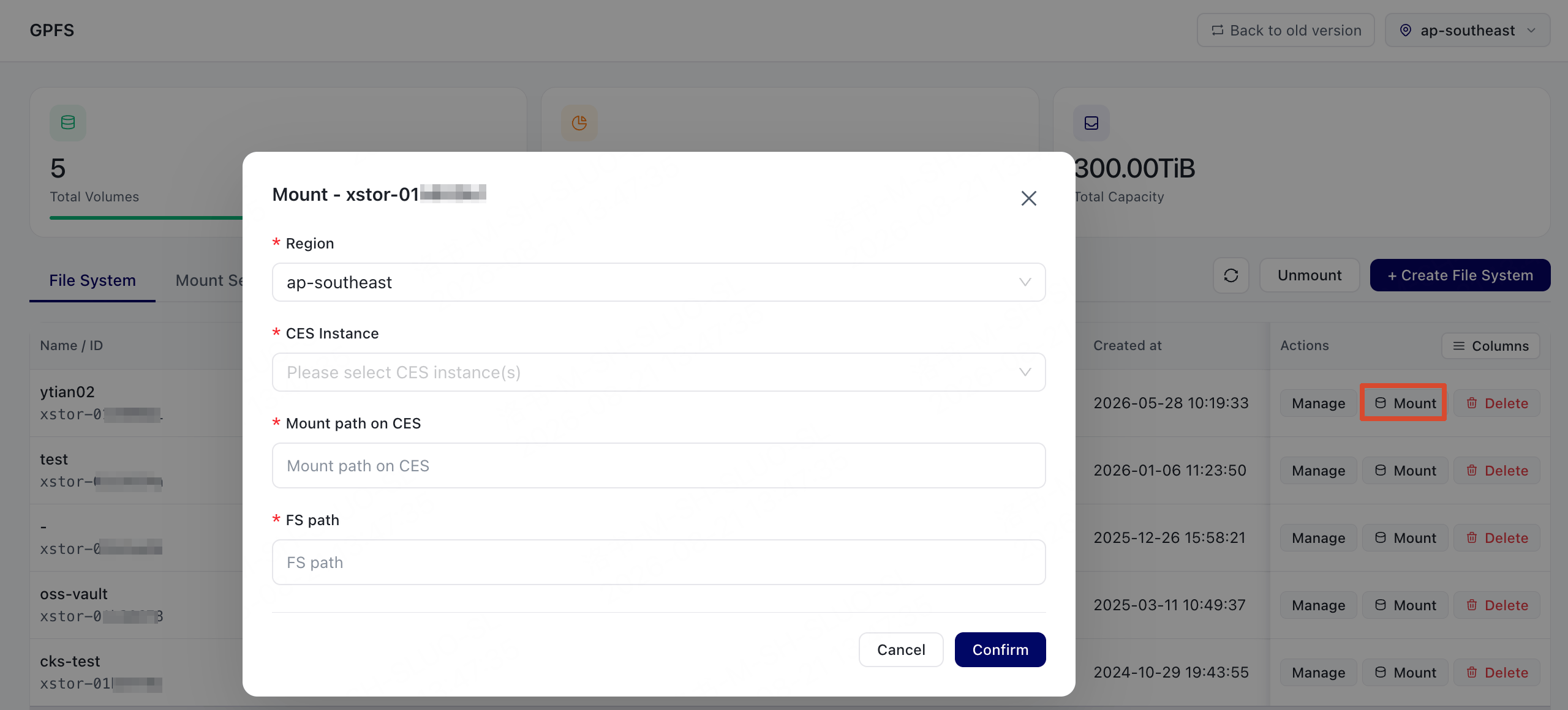
-
Choose Confirm, and then check the mount result.
If the mount succeeds, the result is displayed as
success. If the mount fails, the dialog box displays an error message.
Mount from the instance page
- Log on to the console and open the Instances page.
-
Select the CES instance to which you want to mount the file system, open the actions menu, and choose Mount File System.
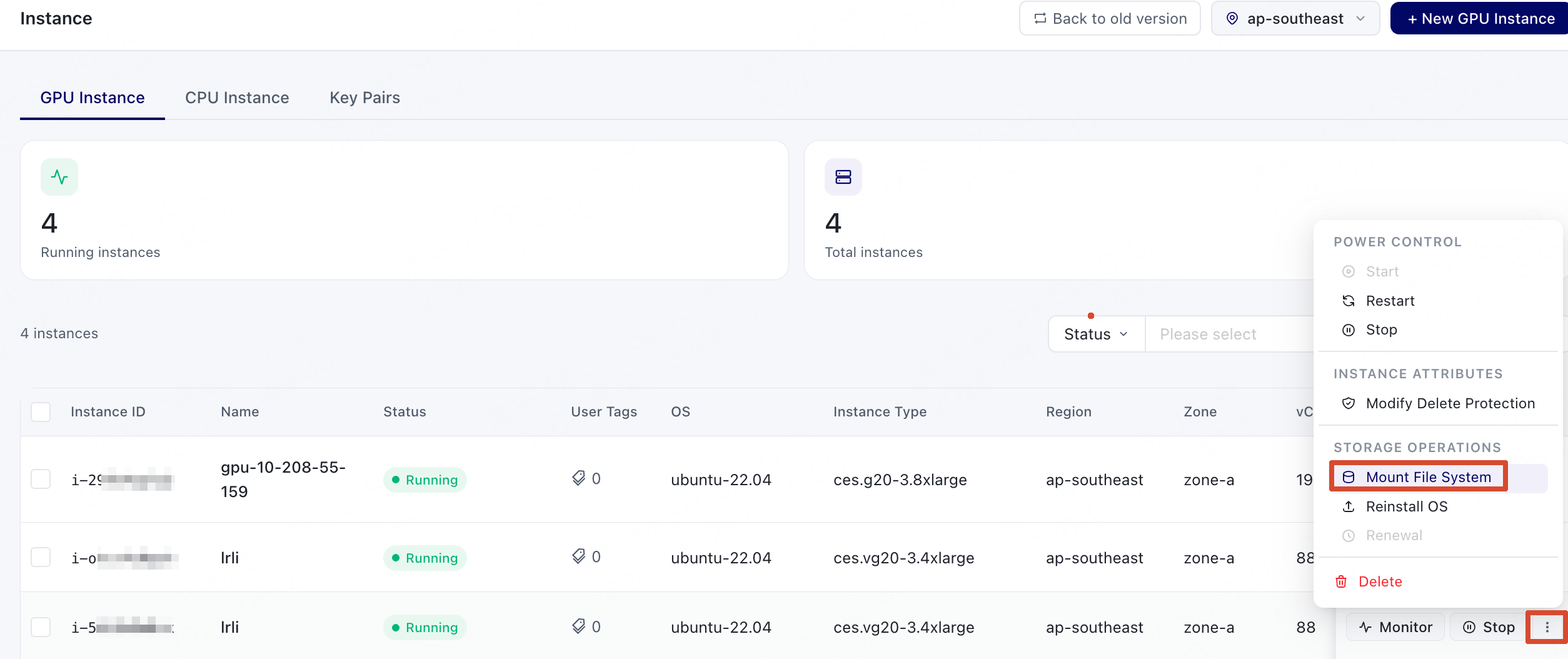
-
In the dialog box that appears, follow the prompts to complete the configuration.
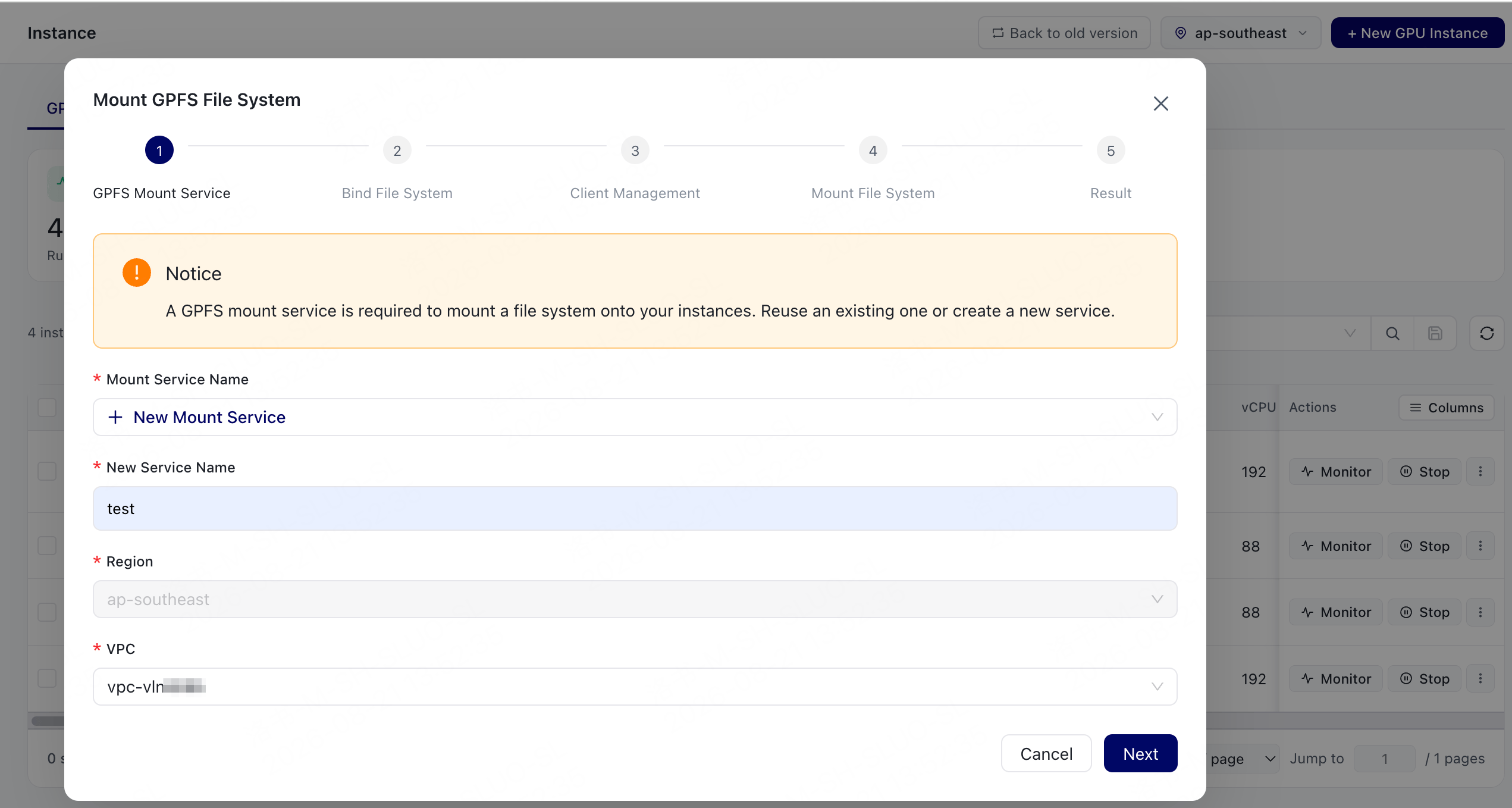
-
Choose Confirm, and then check the mount result.
If the mount succeeds, the result is displayed as
success. If the mount fails, the dialog box displays an error message.
Mount manually from the command line
If you need to mount the file system manually on a server, use the following command format:<tenant-id>is the tenant ID.xstor-<fsid>is the file system ID.<mount-dir>is the local mount directory.
Troubleshooting mount failures
If the mount fails, check the following items first:
If the issue persists, record the error message and contact support.