

Prerequisites
- You have an account with the required permissions to create GPFS file systems.
- You have selected the region where the file system resides.
- The CES instances or CKS cluster nodes that need to mount the file system are in the same region as the file system.
- The file system quota, capacity, and inventory in the current region meet your requirements.
- You have confirmed the required storage type and capacity.
Procedure
- Log on to the console and go to GPFS.
- Choose Create File System.
-
Configure the file system parameters.
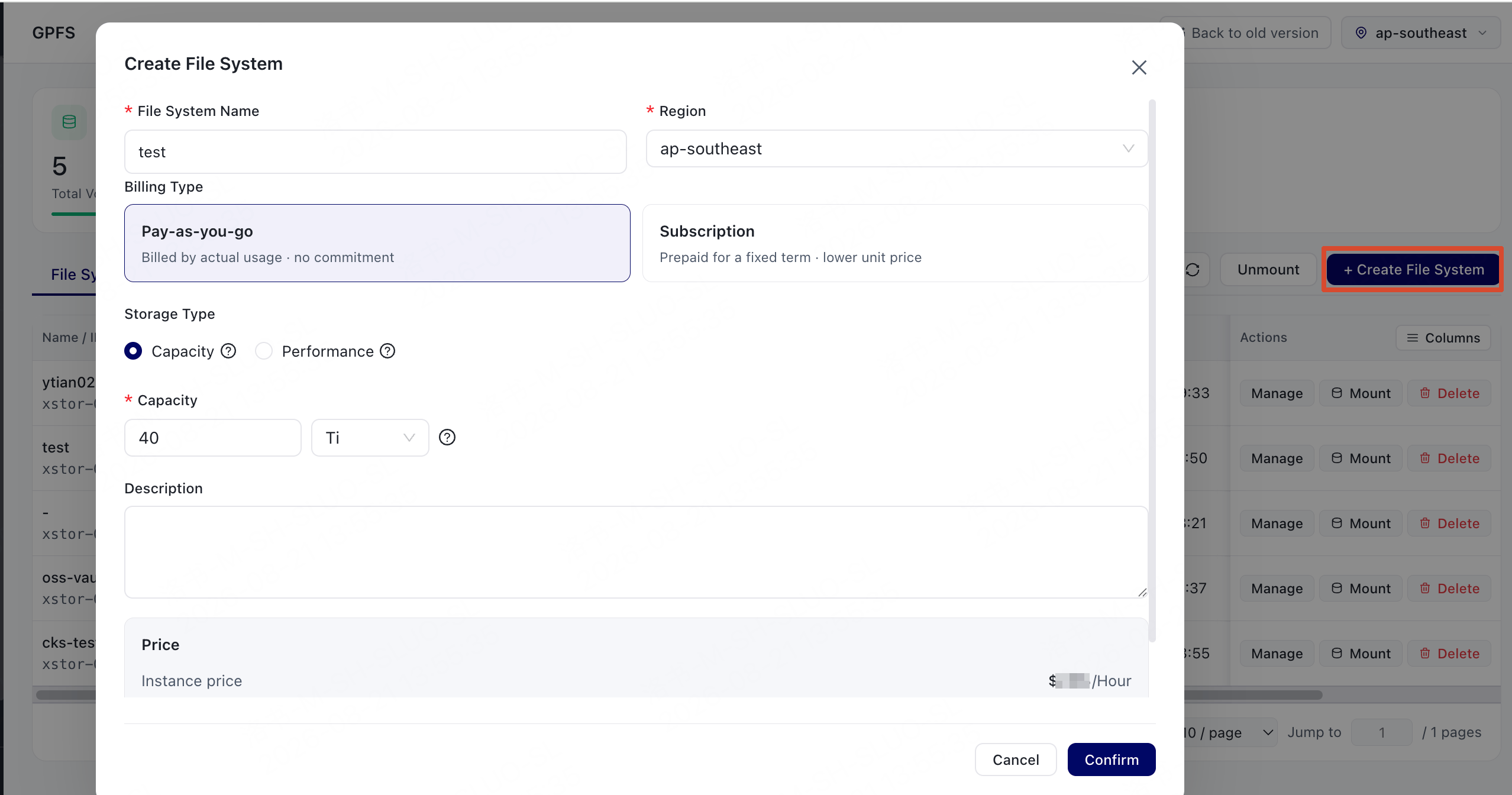
- Choose Confirm.
-
Return to the file system list and check the creation result.
Check the file system ID and status.
- Pending: The file system is being created.
- Running: The file system has been created and can be mounted.
- Failed: The file system failed to be created. Handle the issue based on the error message. If you cannot identify the cause, contact support.