

Before you delete
- The data that you want to keep has been backed up or migrated.
- The file system is not used by running training, inference, or data processing jobs.
- You understand that data cannot be recovered after deletion.
Unmount the file system
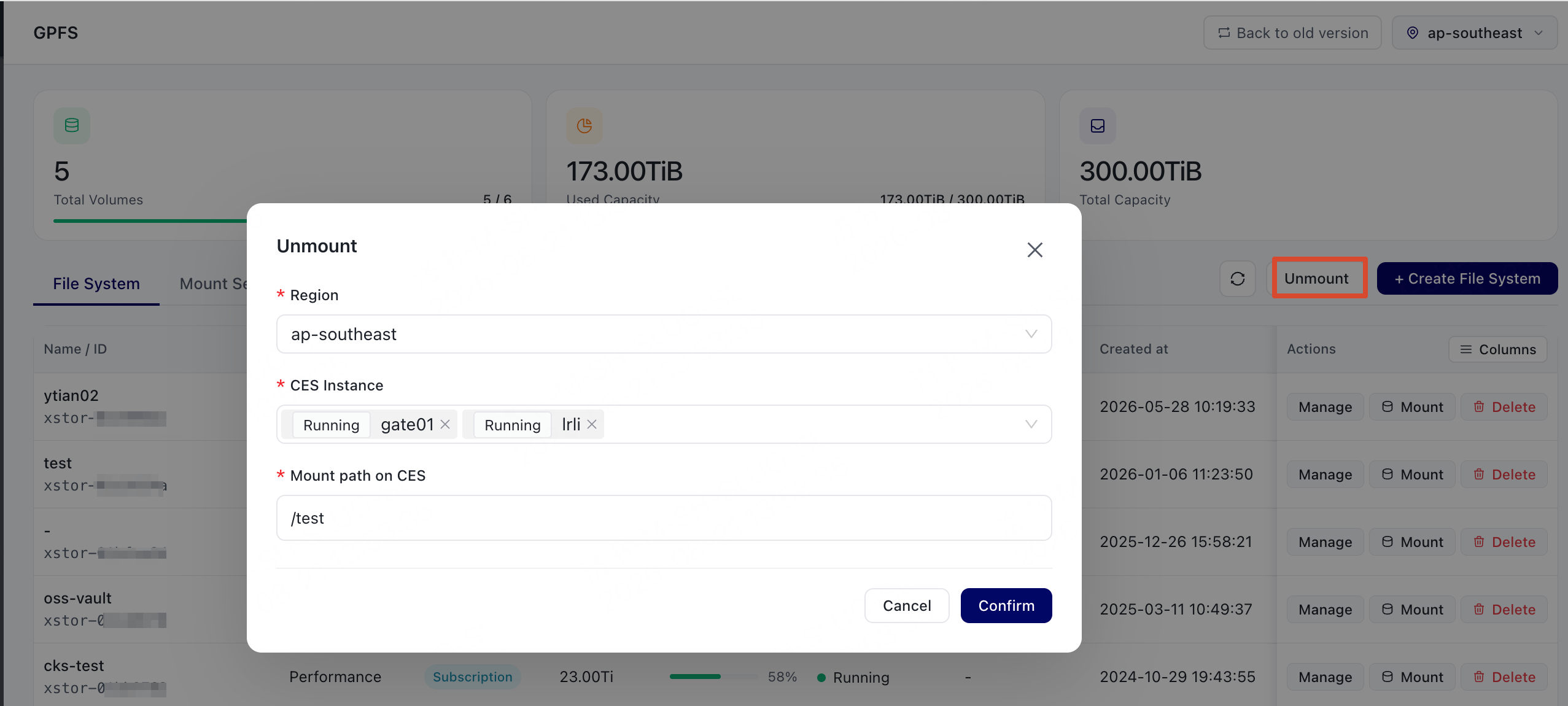
Before you delete a file system, unmount it from CES instances or CKS cluster nodes. If you do not unmount the file system first, subsequent commands such asdf on compute nodes may hang because the file system cannot be found.
- Log on to the console and go to GPFS.
- Choose Unmount.
- Select the CES instance on which the file system is mounted and enter the mount path.
- Confirm the operation and complete the subsequent unmount steps.
Delete the file system
- Log on to the console and go to GPFS.
- Find the file system that you want to delete, choose Delete, and follow the on-screen prompts to complete the operation.
Impact after deletion
If the file system fails to be deleted, record the error message and contact support.