

Only organization administrators can view tenant resource quotas.
Procedure
- Sign in to the console, open the account menu in the upper-right corner, and select Account Settings.
- Open Quotas.
-
Find the record for the target product, region, and resource type. Verify the tenant, quota value, and unit.
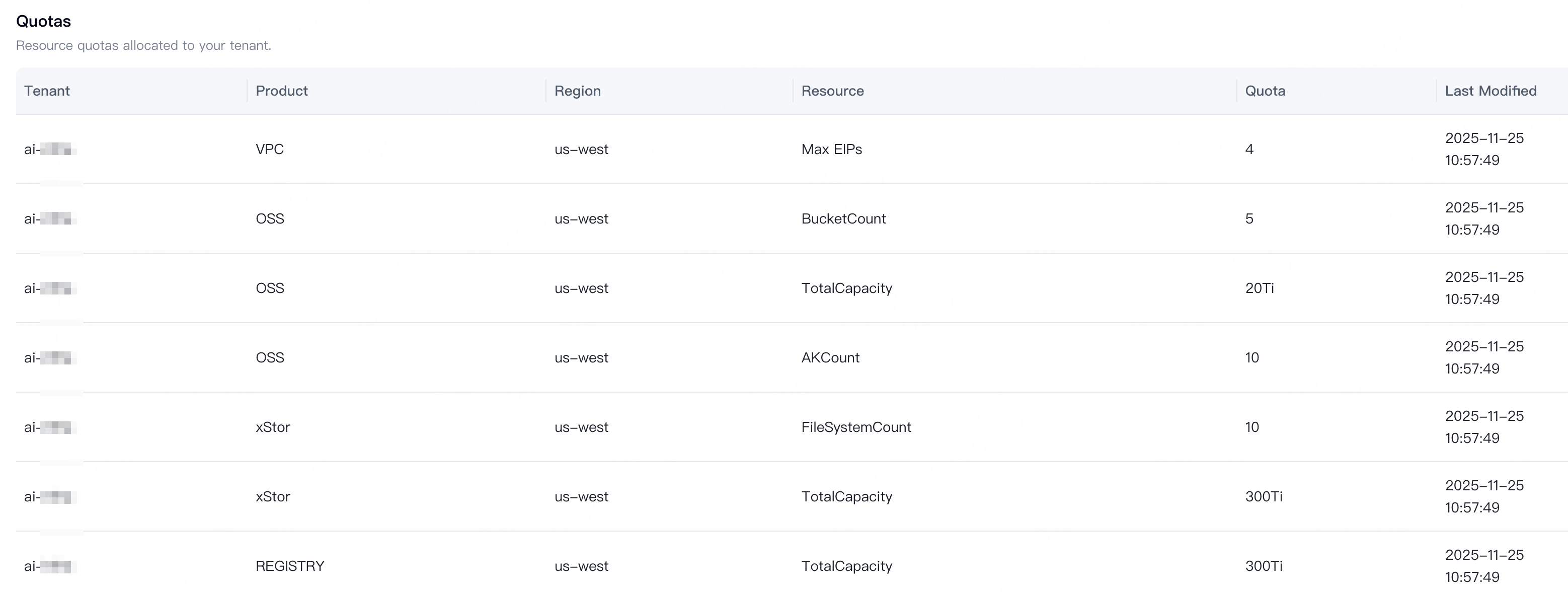
- Check Last Modified if you need to know when the record was updated.
- Check each product, region, and resource type separately. Use the value and unit shown in the corresponding record.
A quota is not the amount of resources currently remaining or the number of resources you can create immediately. Check the corresponding product’s resource information to determine whether a resource is available.