

~/.claude/settings.json, ~/.codex/config.toml / auth.json) atomically, with automatic backups.
Use Qwen/Qwen3.5-397B-A17B for both apps — it is served over the Anthropic Messages protocol that Claude Code speaks, and over the Chat Completions protocol that CC-Switch converts Codex traffic into. See the Models page for available models.
How CC-Switch reaches ScitiX
CC-Switch points each tool at a local proxy and forwards requests upstream. It converts the protocol for Codex but not for Claude Code, which is why the two apps need different settings:
The practical consequence: the model must be served over the protocol that actually reaches ScitiX.
Qwen/Qwen3.5-397B-A17B is served over both, so it works for either app.
Configure Claude Code
Create an API key on the ScitiX API Keys page first.- Open CC-Switch and select the Claude Code app tab.
- Click + (top-right), keep the App-specific Provider tab, and choose Custom in the Preset dropdown.
- Fill in:
- Claude Code has three model slots (Opus, Sonnet, Haiku). Map every slot you intend to use to a model served over Anthropic Messages — selecting a slot mapped to an incompatible model fails with
400 unsupported_protocol. BesidesQwen/Qwen3.5-397B-A17B, bothQwen/Qwen3.6-27Bandgoogle/gemma-4-31B-itwork;google/gemma-3-27b-itsuits the Haiku slot because it is not a reasoning model. - Click Add, then Enable on the ScitiX provider card — it shows “Currently Active”. Claude Code picks the change up immediately, no restart needed.
- In Claude Code, run
/modeland select one of your custom entries. Leaving it on Default keeps Claude Code’s own built-in default model, which ScitiX does not serve.
ANTHROPIC_AUTH_TOKEN: "PROXY_MANAGED" into ~/.claude/settings.json and points ANTHROPIC_BASE_URL at its local proxy — no credential lands in the config file.
Configure Codex
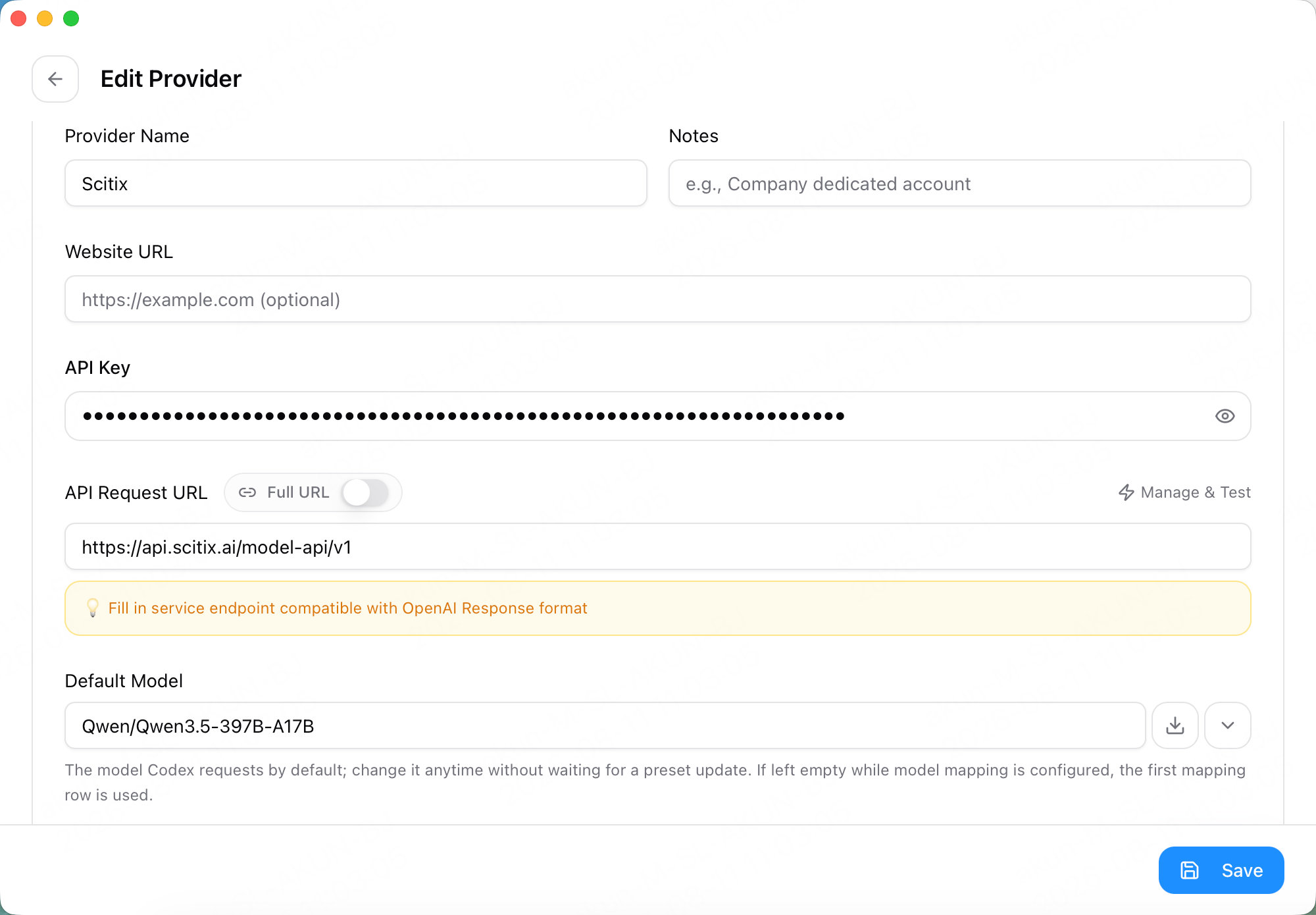
- Switch to the Codex app tab and click + → Custom.
- Fill in:
- Click Add → Enable.
- On this path CC-Switch does not hold the key — it writes an
env_keyreference into~/.codex/config.toml, and you export that variable yourself:
export only lasts for the current shell session — add it to ~/.bashrc / ~/.zshrc to persist.
- Close and reopen your terminal — Codex only reads its config at startup.
Verify
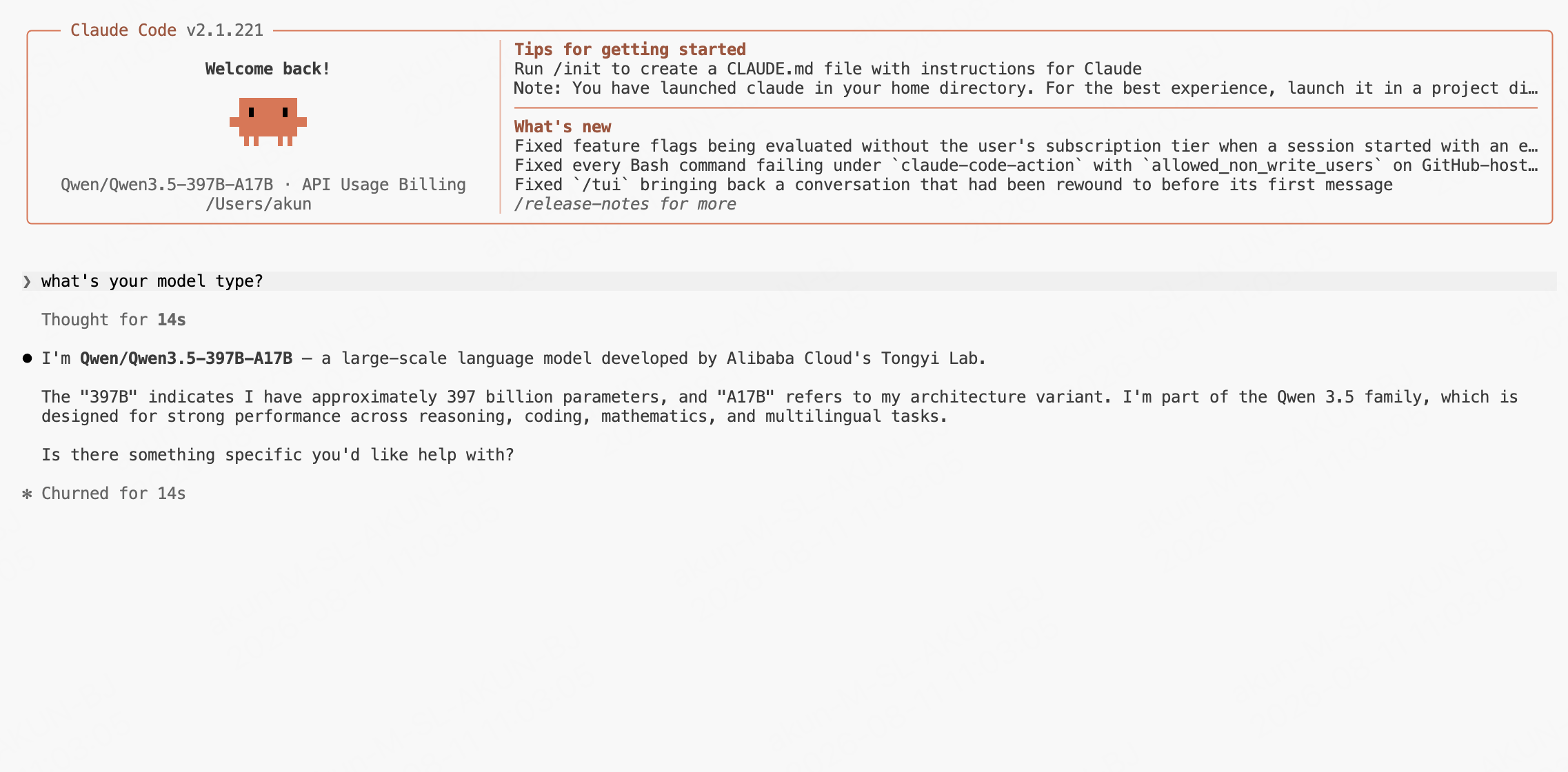
Switch to ScitiX from the provider card (or the tray icon → app submenu → ScitiX), then:Qwen/Qwen3.5-397B-A17B is served only by ScitiX, a reply naming that model is proof the request went through ScitiX.
FAQ
- Claude Code says the selected model may not exist or may not be accessible: You are on the Default entry in
/model, or on a slot mapped to an incompatible model. Run/modeland pick a custom entry. Claude Code’s built-in entries carry a[1M]suffix — that belongs to Claude Code’s naming, not a model ID, and ScitiX registers no model under it. - I see
400 unsupported_protocol: The model is not served over the protocol that reached ScitiX. On the Claude Code side, pick a model available over Anthropic Messages; on the Codex side, confirm Needs Local Routing is on so Responses traffic gets converted. - Codex reports
Missing environment variable: Export the variable named in~/.codex/config.toml, then reopen the terminal. - I cannot delete the currently active provider: Switch away first, then delete it.
- Fetch Models fails with 404 or 405: Type the model ID manually.
- Can I use a Universal Provider? Yes. A Universal Provider (second tab in the add dialog) registers ScitiX for several apps at once; the per-app protocol differences above still apply, so check each app’s format and routing afterwards.