

Pre-Operation Confirmation
- The CKS cluster has installed the CSI driver or storage plugin for the target storage backend.
- When creating a GPFS StorageClass on the Volume Template tab, ensure that
scitix-csi-pluginis installed on the cluster and that an available GPFS file system exists.
Create or Select a StorageClass
If the cluster already has a StorageClass that meets your requirements, note its name and continue creating the PVC. When creating a new StorageClass for GPFS, use a volume template whenever possible. Create a StorageClass manually only if you have obtained the CSI driver and all its parameters.Create a GPFS StorageClass Using a Volume Template
- Log in to the GPU Cloud console and go to the Clusters page.
- On the Clusters page, click the target cluster name to open the cluster workspace.
- In the left navigation pane, go to the Storage page and switch to the Volume Template tab.
-
Click Create GPFS StorageClass to configure the StorageClass.
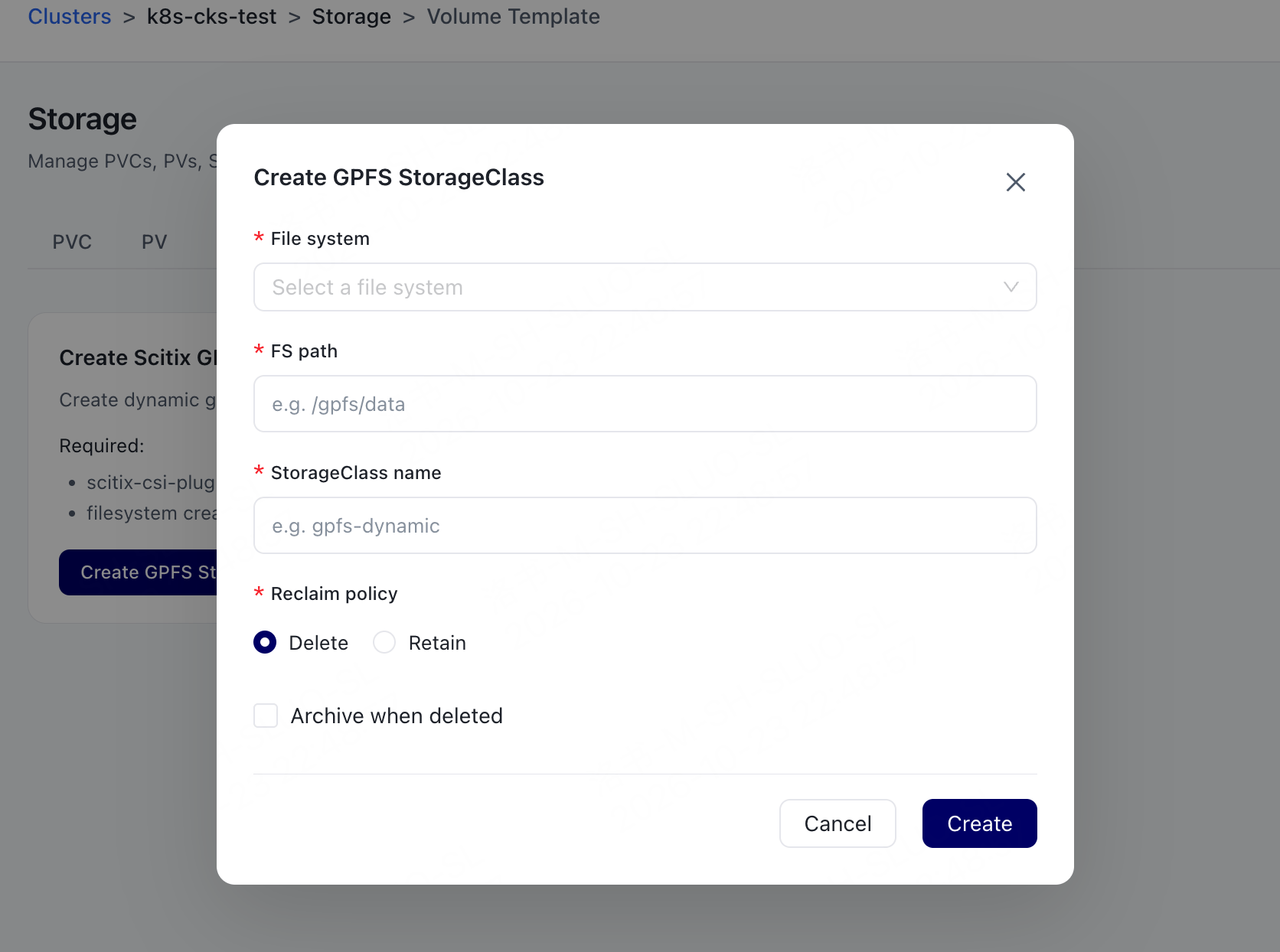
- Click Create.
Create a Custom StorageClass
Creating a custom StorageClass is suitable when you have obtained a complete configuration from the storage administrator or CSI plugin documentation. If the parameters are incomplete, use a volume template to avoid creating a StorageClass that cannot create storage volumes properly.- Log in to the GPU Cloud console and go to the Clusters page.
- On the Clusters page, click the name of the target cluster to open the cluster workspace.
-
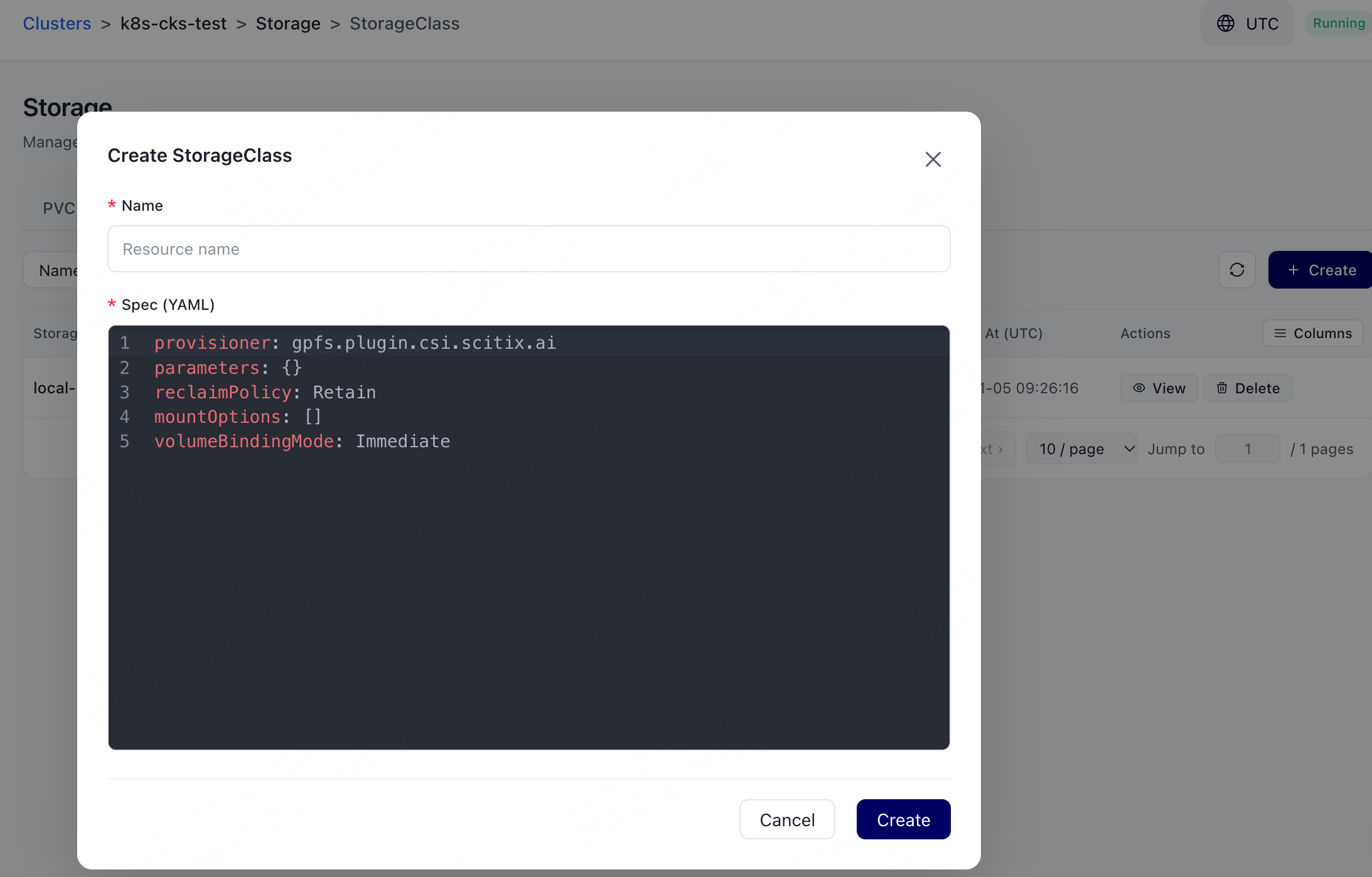
In the left navigation pane, go to the Storage page, switch to the StorageClass tab, and click Create.
-
Set Name and enter the StorageClass configuration in Spec (YAML).
The following YAML shows the basic structure of a StorageClass. Replace the placeholders with the actual values required by the CSI driver, and add parameters as needed.
- Click Create.
Create a PVC
-
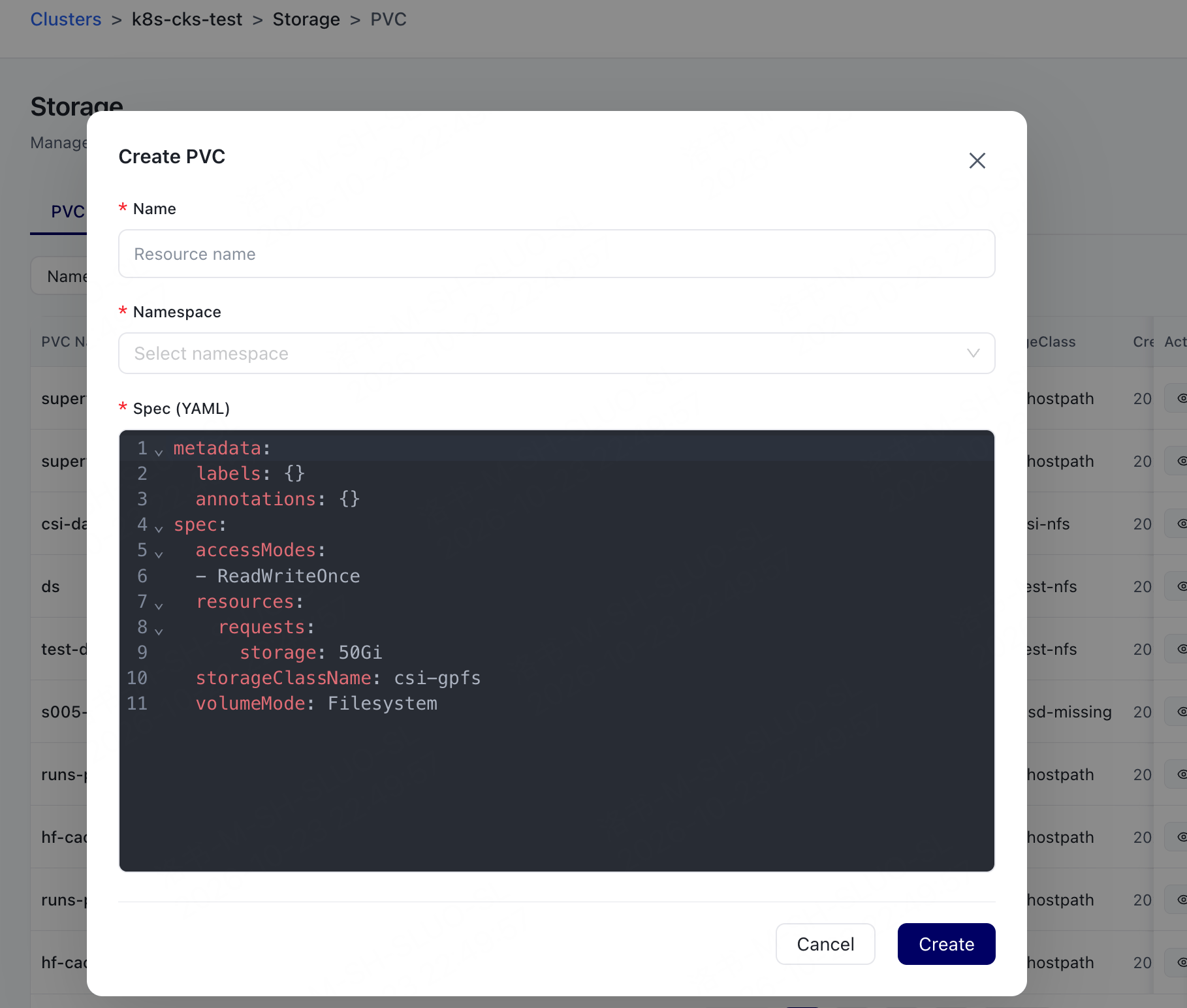
On the Storage page, switch to the PVC tab and click Create.
-
Configure the PVC.
Replace
storageClassNamewith the name of the StorageClass selected or created in the previous step, and adjust the capacity and access mode as needed. - Click Create.
-
Return to the PVC tab and confirm that the PVC status changes to
Bound. After the status changes toBound, it indicates that the storage plugin has created a PV and that the PV has been bound to the PVC.
Next Actions
After the PVC status becomesBound, you can mount persistent storage to a workload. When you no longer need the PVC or PV, see Clean up persistent storage resources.
Frequently Asked Questions
What should I do if a PVC remains in Pending status for an extended period?
What should I do if a PVC remains in Pending status for an extended period?
Ensure that the StorageClass corresponding to
storageClassName exists, and check whether the CSI driver or storage plugin is installed and functioning properly. If GPFS is used, also ensure that the target file system and the path for creation are available.