Console navigation and layout updates
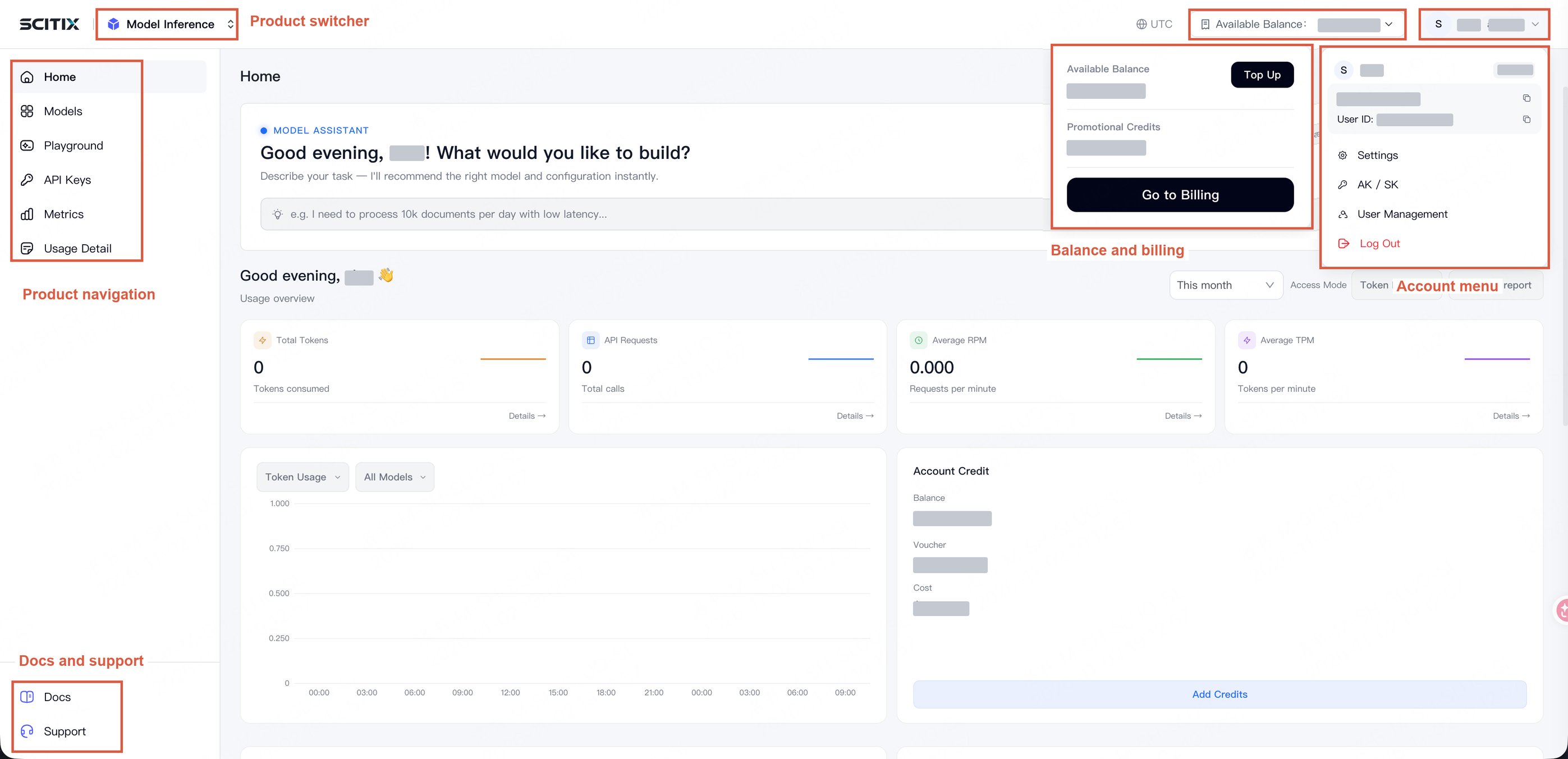
The top and left navigation bars now share a consistent layout and visual style. Product navigation, billing, account settings, documentation, and support have dedicated locations, making navigation more consistent across products.- Billing access: Billing pages, including bills and orders, are no longer part of the product menu. Expand the account balance menu in the top navigation bar, then follow the link to the billing center.
- Account menu: The account menu is now at the right end of the top navigation bar. Open it to access account settings, AK / SK credentials, user management, and other account tools.
- Product switcher: The product switcher is now at the left end of the top navigation bar, separate from each product’s menu.
-
Documentation and support: Documentation and technical support links are now at the bottom of the left navigation bar, separate from product features.
Billing page redesign
- Added an Overview page showing the available account balance, billing charges, and cost trends in one place.
- Improved the Cost Details page to make it easier to view costs by product and time range.
UTC time display
-
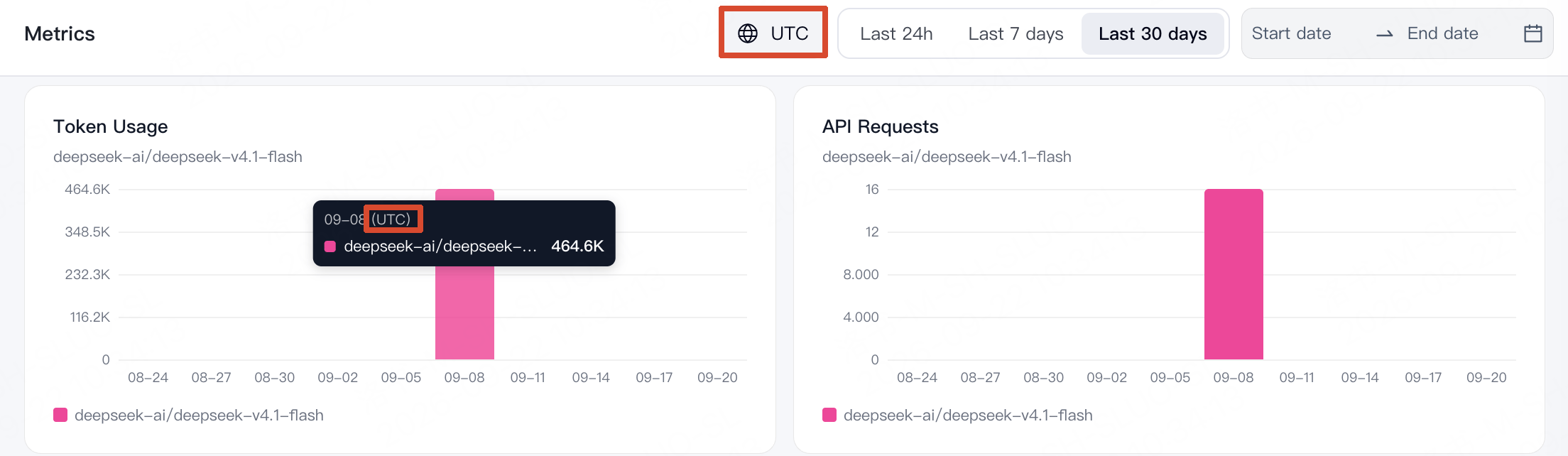
All console timestamps are now displayed in UTC.
The following image shows the Metrics page as an example.
Console homepage and product switcher changes
-
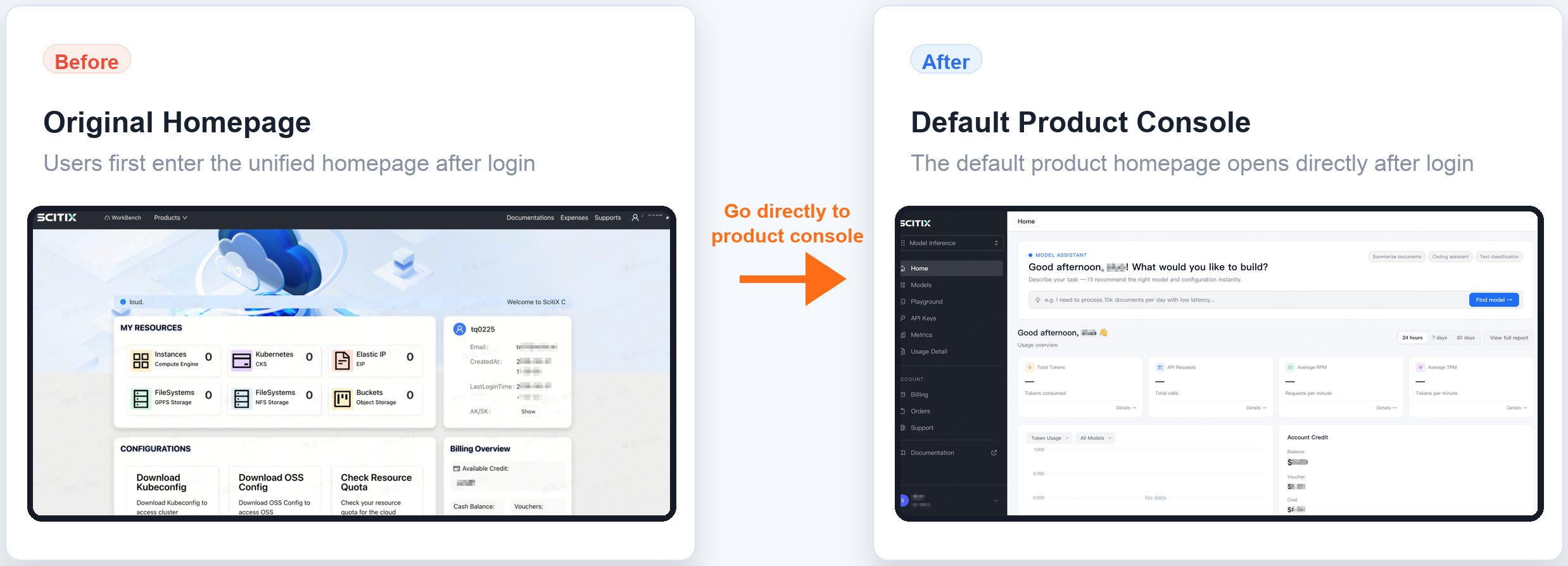
Changed the page shown after logging in to the console
After you log in to the console, the previous unified homepage is no longer shown. You are taken directly to the default product console.
- To view resource information, go to the corresponding product console.
- To get AK/SK credentials, see Get access keys.
-
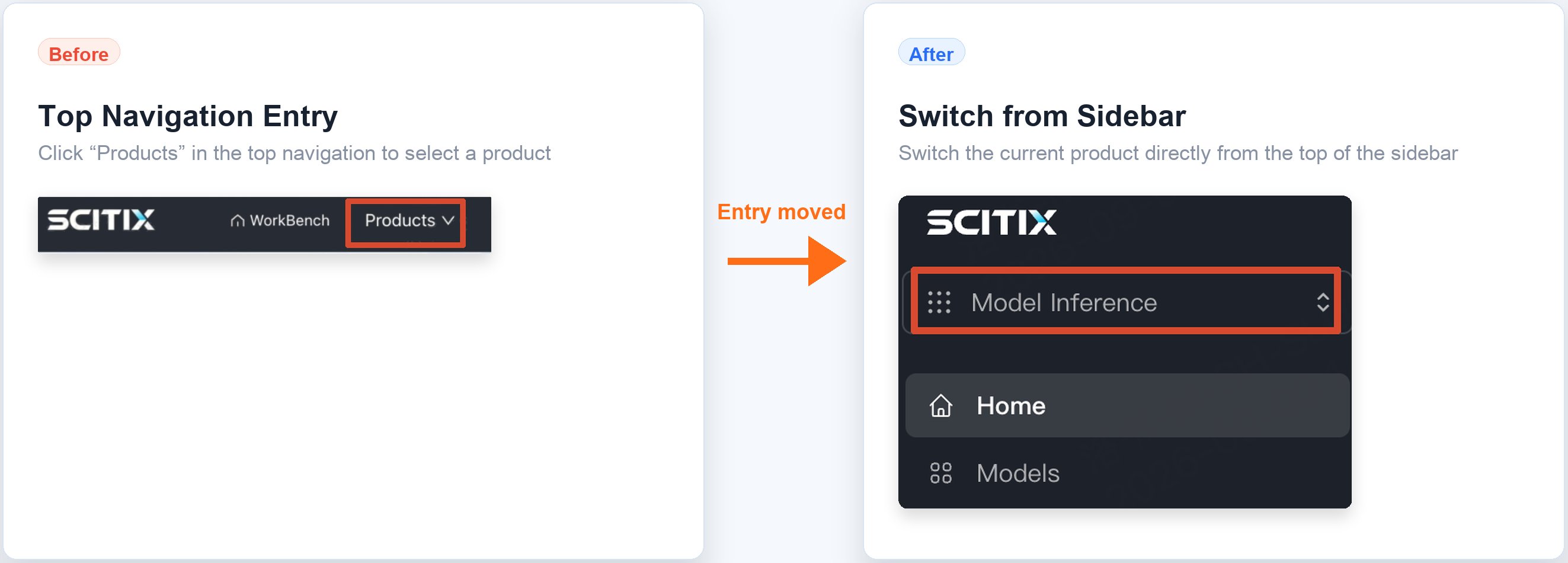
Updated the product selection entry point
The product selection path has changed. Instead of choosing a product from Products in the top navigation, you can now switch the current product directly from the top of the left navigation.