> ## Documentation Index
> Fetch the complete documentation index at: https://docs.scitix.ai/llms.txt
> Use this file to discover all available pages before exploring further.
# LobeChat
[LobeChat](https://github.com/lobehub/lobe-chat) is an open-source AI chat framework with a web/desktop UI and multi-provider support. Its OpenAI provider accepts a custom proxy address, so you can point it to the ScitiX Model Inference API.
Deploy LobeChat first. The client/PGLite Docker image needs no database. Then open `http://localhost:3210`.
Supported models include `glm-5.2` and `DeepSeek-V4-Flash`. See the [model catalog](https://console.scitix.ai/model-inference/models).
## Configure
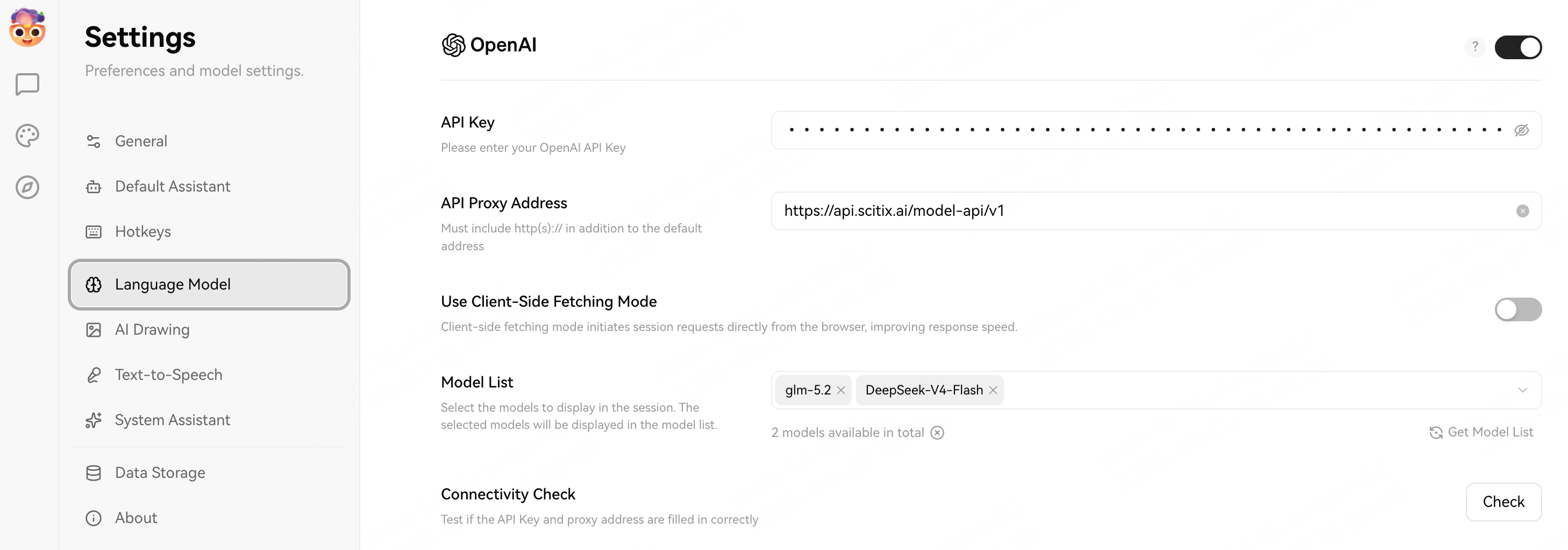
Create an API Key on the [API Keys](https://console.scitix.ai/model-inference/api_keys) page, then open **Settings → Language Model → OpenAI** and fill in the required fields.
| Field | Value |
| ----------------- | ------------------------------------------------------------------------------------------------ |
| API Key | Your API Key created on the [API Keys](https://console.scitix.ai/model-inference/api_keys) page. |
| API Proxy Address | `https://api.scitix.ai/model-api/v1` |
| Model List | `glm-5.2`, `DeepSeek-V4-Flash` |
**API Proxy Address** must include `/v1`. LobeChat's OpenAI provider appends `/chat/completions`.
Choose a model with native tool calling if you use plugin or agent features.
Make sure the OpenAI provider is enabled with the toggle at the top right, then click **Check** (Connectivity Check) to confirm that the API Key and proxy address work.
 ## Verify
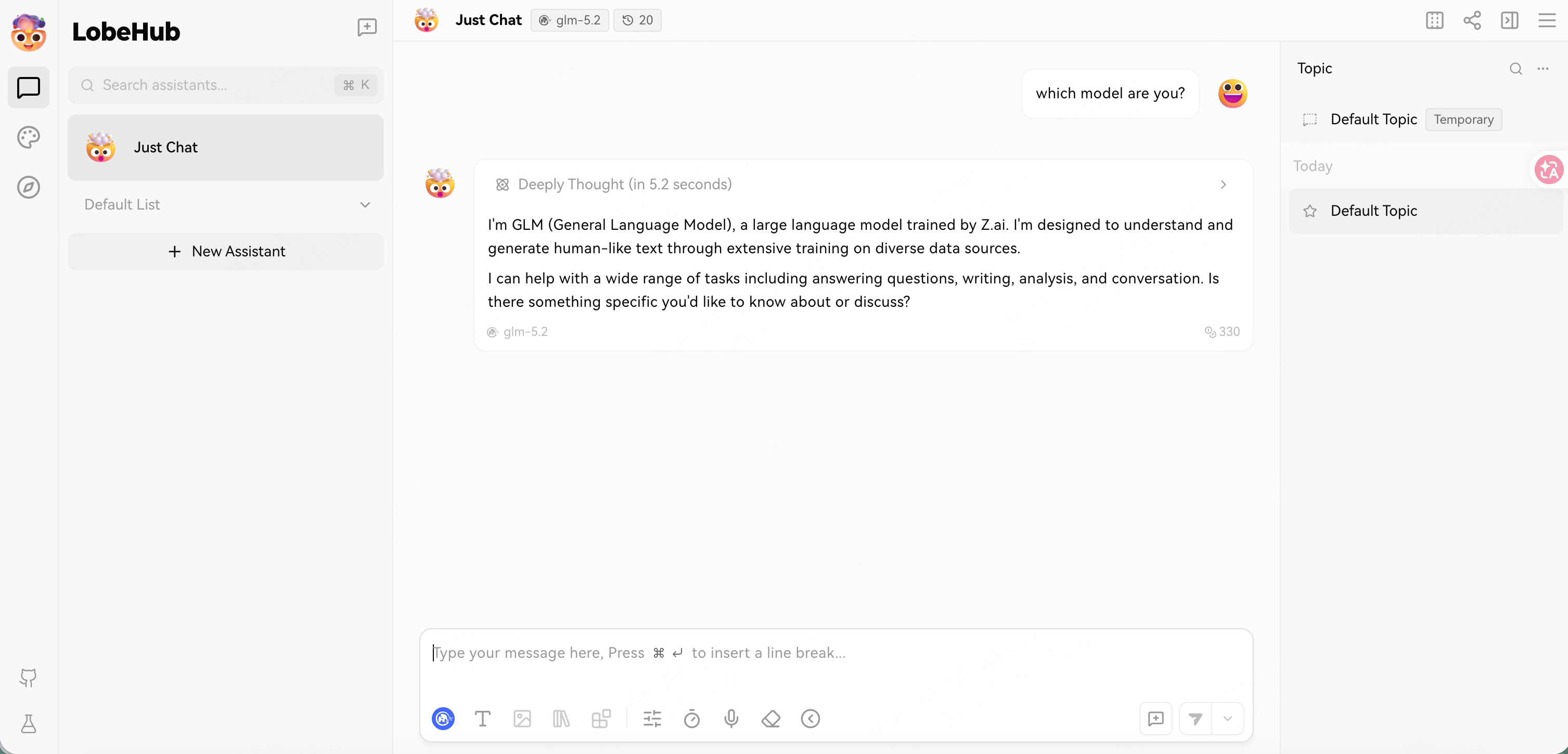
Open a conversation, select `glm-5.2` from the model selector at the top, and send a message. A normal reply confirms that the connection works.
The assistant may identify itself as "GLM" or "LobeHub assistant" rather than the exact model ID. That is the app's own system prompt, not a routing issue; the model selector still shows the ScitiX model in use.
## Verify
Open a conversation, select `glm-5.2` from the model selector at the top, and send a message. A normal reply confirms that the connection works.
The assistant may identify itself as "GLM" or "LobeHub assistant" rather than the exact model ID. That is the app's own system prompt, not a routing issue; the model selector still shows the ScitiX model in use.
 ## FAQ
* **Models missing from the selector**: confirm that the OpenAI provider toggle is on and that the **Model List** contains the ScitiX model IDs.
## FAQ
* **Models missing from the selector**: confirm that the OpenAI provider toggle is on and that the **Model List** contains the ScitiX model IDs.