> ## Documentation Index
> Fetch the complete documentation index at: https://docs.scitix.ai/llms.txt
> Use this file to discover all available pages before exploring further.
# Kilo Code
[Kilo Code](https://github.com/Kilo-Org/kilocode) is an open-source AI coding agent for VS Code, JetBrains, and the CLI, combining features from Cline and Roo. Its **OpenAI Compatible** provider accepts a custom Base URL and auto-fetches the model list, so it can run on the ScitiX Model Inference API.
Supported models include `glm-5.2` and `MiniMaxAI/MiniMax-M2.7`. For the full model list and pricing, see the [model catalog](https://console.scitix.ai/model-inference/models).
## Configure
Create an API Key on the [API Keys](https://console.scitix.ai/model-inference/api_keys) page first.
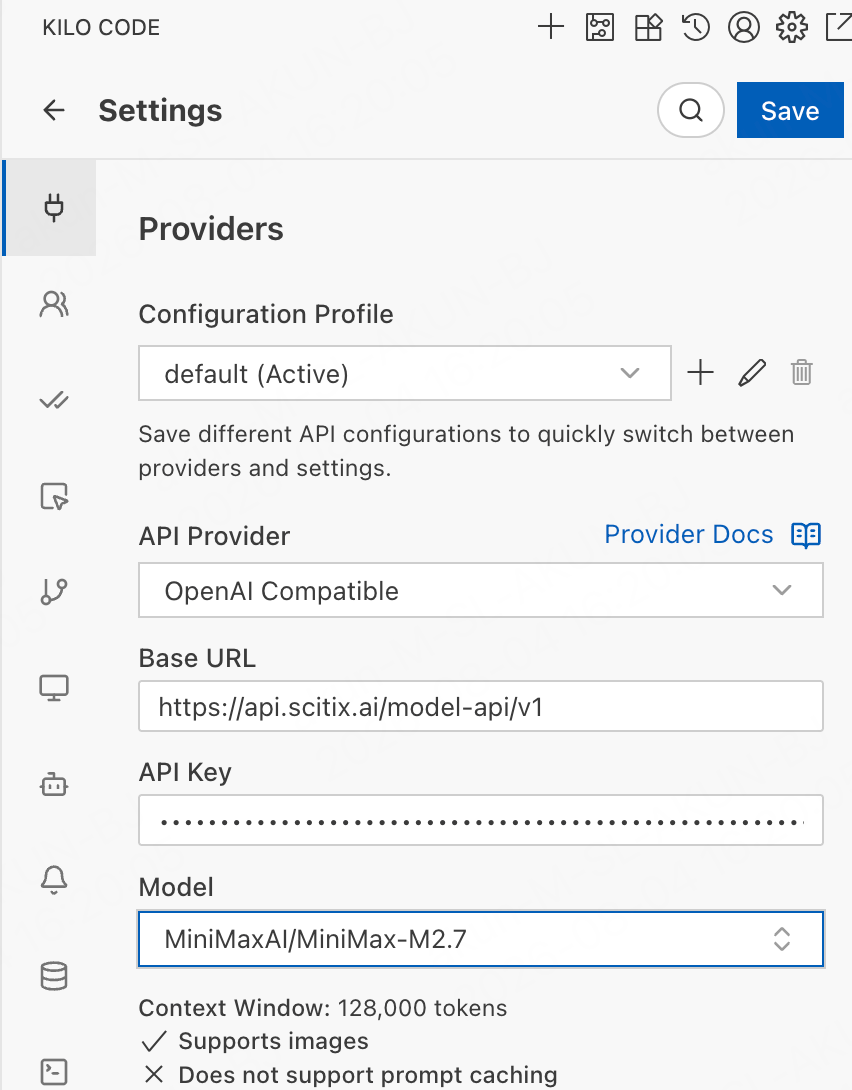
1. Click the Kilo Code icon in the sidebar, then open **Settings (⚙️) → Providers**.
2. Under **API Provider**, select **OpenAI Compatible**.
3. Fill in the required fields.
| Field | Value |
| -------- | ------------------------------------------------------------------------------------------------ |
| Base URL | `https://api.scitix.ai/model-api/v1` |
| API Key | Your API Key created on the [API Keys](https://console.scitix.ai/model-inference/api_keys) page. |
| Model | `glm-5.2` |
4. Kilo Code fetches the model list from `https://api.scitix.ai/model-api/v1/models` automatically. Select `glm-5.2`, or another model, from the searchable **Model** dropdown.
If the fetch fails, type the model ID manually.
5. Click **Save**.
Configurations are stored in a **Configuration Profile**, such as `default`, so you can save the ScitiX setup and switch providers quickly.
 ## Verify
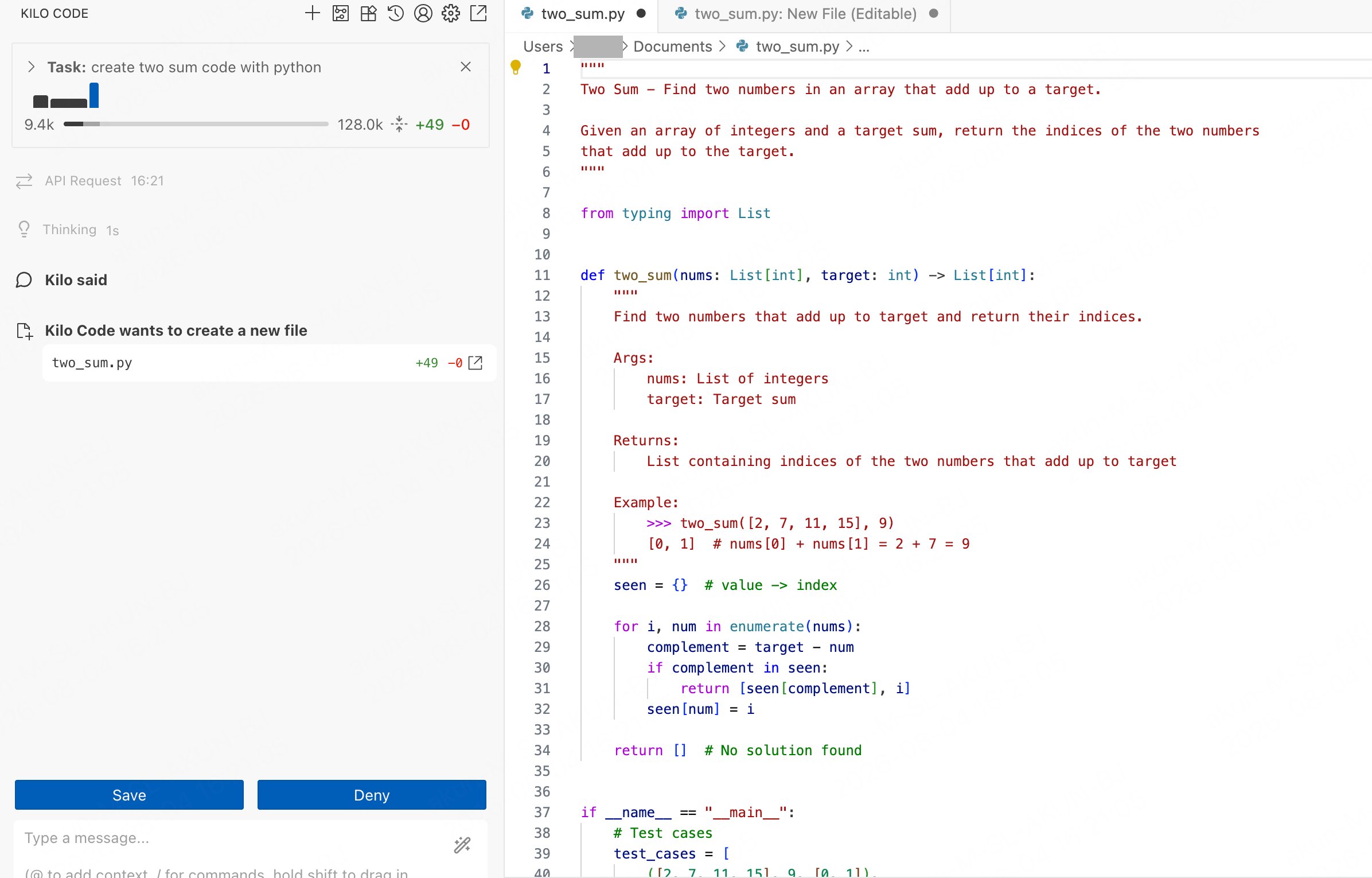
Give Kilo Code a coding task, such as "create two sum code with python", with the ScitiX model selected. It plans the task and asks to create or edit files. Approve with **Save**. A normal reply confirms that the connection works.
## Verify
Give Kilo Code a coding task, such as "create two sum code with python", with the ScitiX model selected. It plans the task and asks to create or edit files. Approve with **Save**. A normal reply confirms that the connection works.
 ## FAQ
* **Empty model dropdown**: the `GET /v1/models` fetch failed. Check the Base URL with the `/v1` suffix and the API Key, or type the model ID manually.
* **Model does not act / no tool calls**: choose a model with native tool calling. The provider page shows model capabilities such as **Supports images** after selection.
## FAQ
* **Empty model dropdown**: the `GET /v1/models` fetch failed. Check the Base URL with the `/v1` suffix and the API Key, or type the model ID manually.
* **Model does not act / no tool calls**: choose a model with native tool calling. The provider page shows model capabilities such as **Supports images** after selection.