> ## Documentation Index
> Fetch the complete documentation index at: https://docs.scitix.ai/llms.txt
> Use this file to discover all available pages before exploring further.
# FastGPT
[FastGPT](https://github.com/labring/FastGPT) is an open-source knowledge-base and AI-workflow platform. You can register OpenAI-compatible models, so FastGPT can work with the ScitiX Model Inference API for chat/workflow apps and dataset (RAG) indexing.
Deploy FastGPT with Docker Compose by following the [official guide](https://doc.fastgpt.io), then log in with the initial `root` account.
Supported chat models include `glm-5.2` and `DeepSeek-V4-Flash`. The embedding model in this guide is `Qwen/Qwen3-Embedding-8B`. See the [model catalog](https://console.scitix.ai/model-inference/models).
## Configure
Create an API Key on the [API Keys](https://console.scitix.ai/model-inference/api_keys) page, then open **Account → Model Providers**.
### 1. Configure a chat model
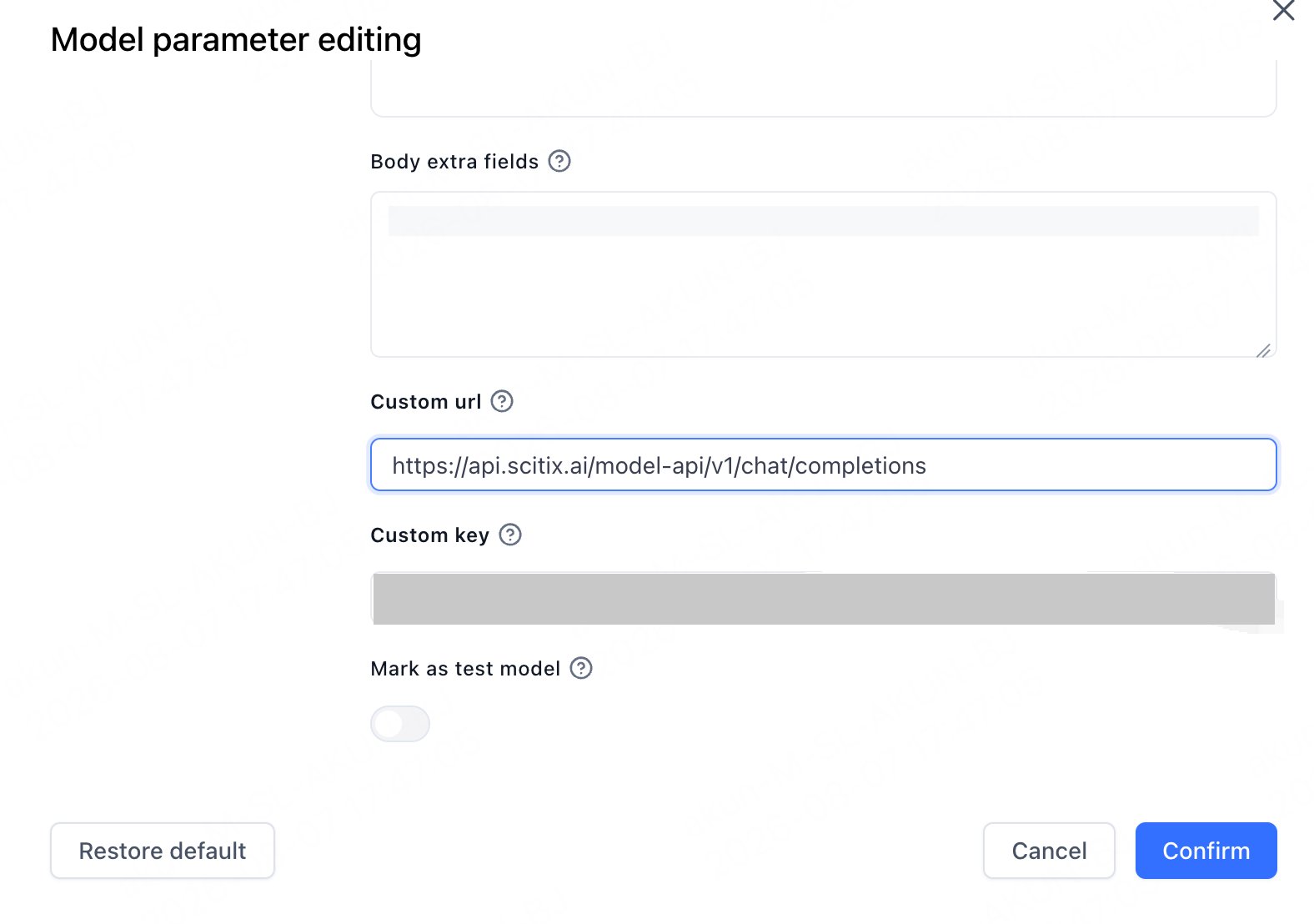
Add or edit a model. In **Model parameter editing**, set:
| Field | Value |
| ---------- | ------------------------------------------------------------------------------------------------ |
| Custom url | `https://api.scitix.ai/model-api/v1/chat/completions` |
| Custom key | Your API Key created on the [API Keys](https://console.scitix.ai/model-inference/api_keys) page. |
Add `glm-5.2` as an **LLM** model.
The **Custom url** is the full endpoint. Chat uses `https://api.scitix.ai/model-api/v1/chat/completions`, and embeddings use `.../v1/embeddings`. When a per-model Custom url is set, FastGPT calls it verbatim and does not append a path.
### 2. Configure an embedding model
If you use datasets, add `Qwen/Qwen3-Embedding-8B` as an **Embedding** model. Its **Custom url** ends with `/v1/embeddings`.
| Model type | Model |
| ---------- | ------------------------- |
| LLM | `glm-5.2` |
| Embedding | `Qwen/Qwen3-Embedding-8B` |
 * Model type matters. Add `glm-5.2` as an **LLM** and `Qwen/Qwen3-Embedding-8B` as an embedding/index model. Datasets need an embedding model.
* Model IDs must match ScitiX exactly, including the `Qwen/` prefix on the embedding model.
* Choose a chat model with native tool calling if you use workflow tool nodes or agents.
## Verify
Create a simple app in Studio, select `glm-5.2`, and send a message in **Chat Preview**. A normal reply confirms that the connection works.
* Model type matters. Add `glm-5.2` as an **LLM** and `Qwen/Qwen3-Embedding-8B` as an embedding/index model. Datasets need an embedding model.
* Model IDs must match ScitiX exactly, including the `Qwen/` prefix on the embedding model.
* Choose a chat model with native tool calling if you use workflow tool nodes or agents.
## Verify
Create a simple app in Studio, select `glm-5.2`, and send a message in **Chat Preview**. A normal reply confirms that the connection works.
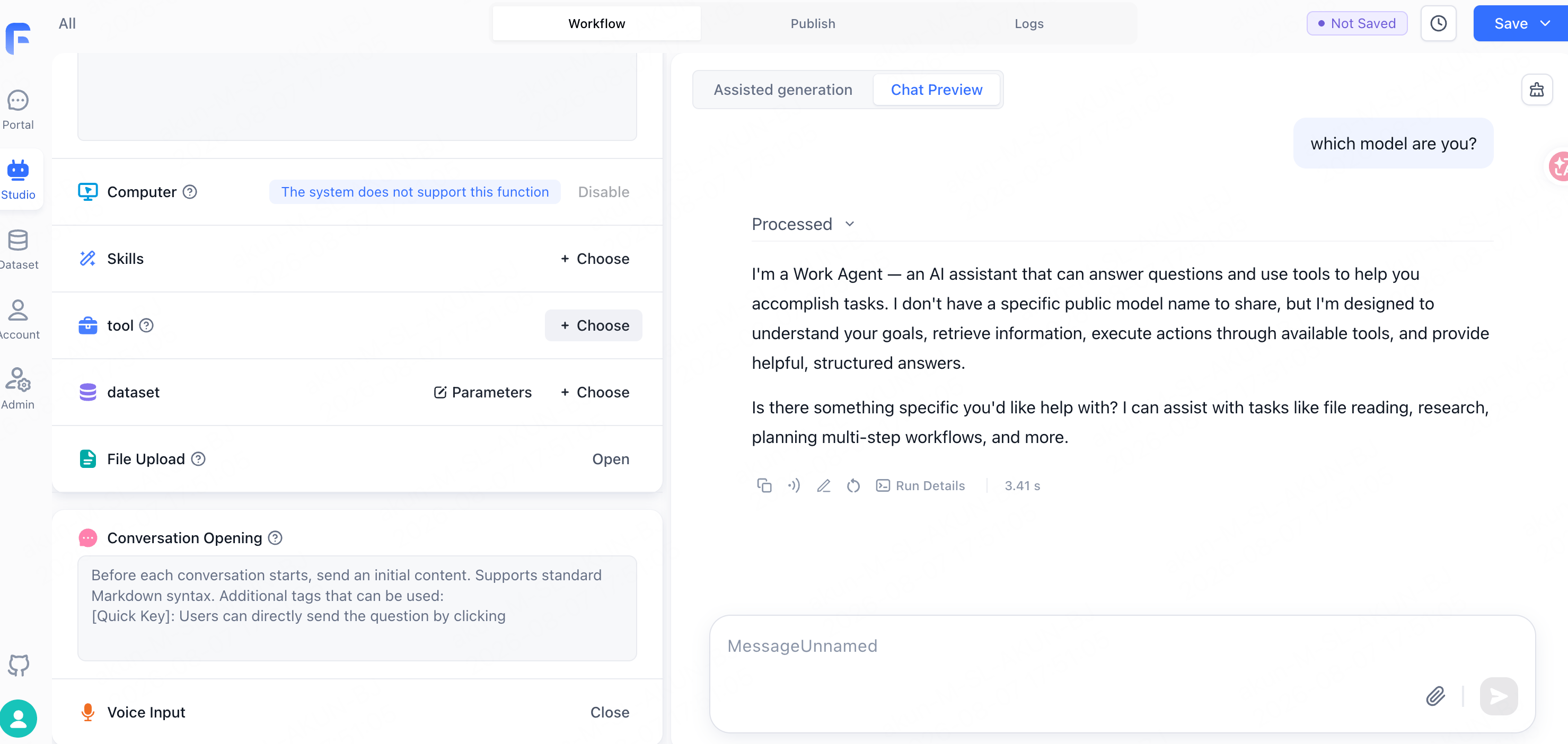 The assistant may describe itself generically, such as "a Work Agent", rather than by model ID. That is FastGPT's system prompt, not a routing issue.