> ## Documentation Index
> Fetch the complete documentation index at: https://docs.scitix.ai/llms.txt
> Use this file to discover all available pages before exploring further.
# Manage VPC
A VPC is an isolated, private network environment within the platform. You can create a VPC, choose an IP address range, and use the network to create and manage platform resources, such as Compute Engine instances (CES).
## Create a VPC
1. Navigate to the Virtual Private Cloud management page.
2. Click the Create VPC button.
3. Select the desired region, IP address range, and other configurations.
4. Confirm that all configurations meet your requirements, then click Confirm to create the VPC.
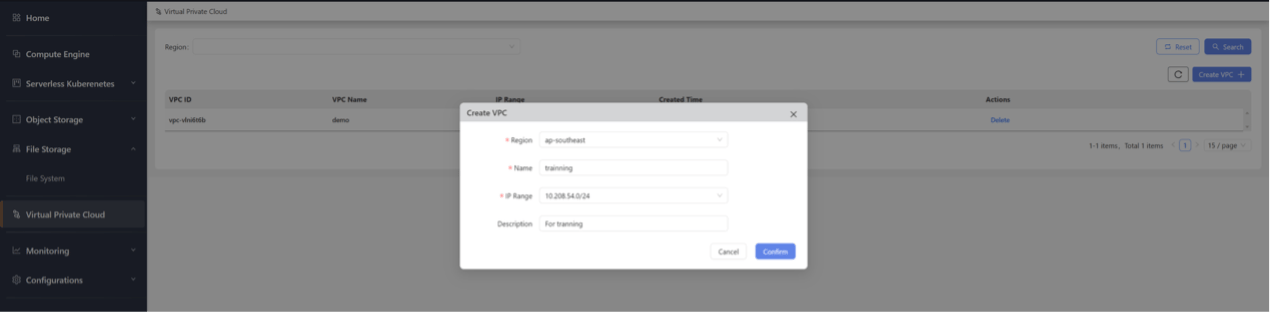 | **Configuration** | Description | Example |
| ----------------- | --------------------- | -------------- |
| **Region** | The resource location | ap-southeast |
| **Name** | VPC name | demo |
| **IP Range** | VPC IP address range | 10.208.55.0/24 |
| **Description** | Description | - |
## View VPCs
1. Navigate to the Virtual Private Cloud management page.
2. On the page, you can view details for all VPC instances.
| **Configuration** | Description | Example |
| ----------------- | --------------------- | -------------- |
| **Region** | The resource location | ap-southeast |
| **Name** | VPC name | demo |
| **IP Range** | VPC IP address range | 10.208.55.0/24 |
| **Description** | Description | - |
## View VPCs
1. Navigate to the Virtual Private Cloud management page.
2. On the page, you can view details for all VPC instances.
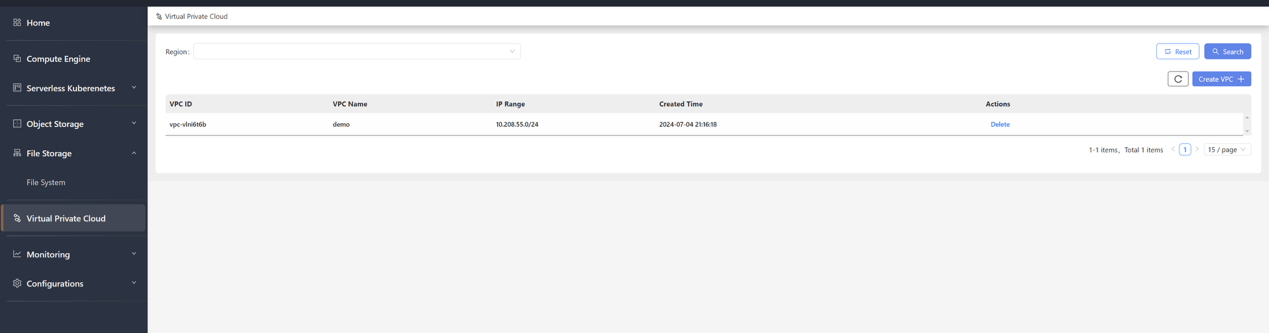 | **Stats** | Description | Example |
| ---------------- | ---------------------- | ------------------- |
| **VPC ID** | VPC instance unique ID | vpc-vlni6t6b |
| **VPC Name** | VPC instance name | demo |
| **IP Range** | VPC instance IP range | 10.208.55.0/24 |
| **Created Time** | Instance creation time | 2024-07-07 13:03:24 |
| **Description** | Description | - |
## Delete a VPC
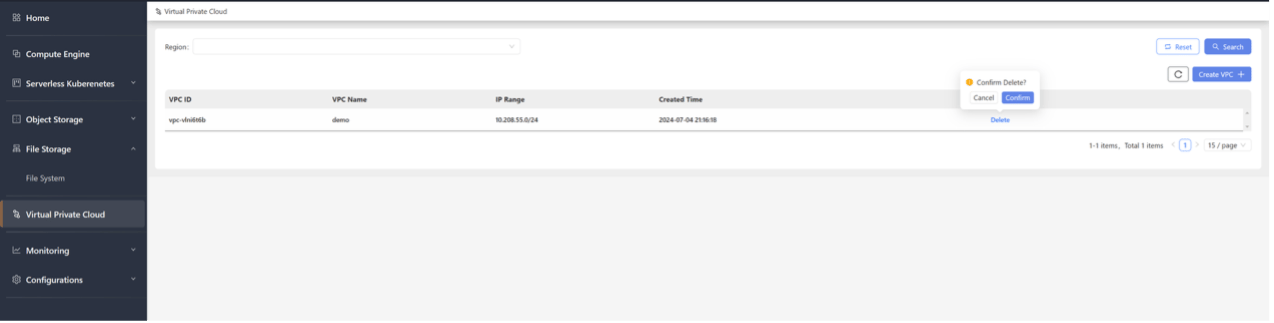
1. Navigate to the Virtual Private Cloud management page.
2. Locate the VPC instance you want to delete, click the Delete button, and confirm to complete the release of the VPC instance.
| **Stats** | Description | Example |
| ---------------- | ---------------------- | ------------------- |
| **VPC ID** | VPC instance unique ID | vpc-vlni6t6b |
| **VPC Name** | VPC instance name | demo |
| **IP Range** | VPC instance IP range | 10.208.55.0/24 |
| **Created Time** | Instance creation time | 2024-07-07 13:03:24 |
| **Description** | Description | - |
## Delete a VPC
1. Navigate to the Virtual Private Cloud management page.
2. Locate the VPC instance you want to delete, click the Delete button, and confirm to complete the release of the VPC instance.