> ## Documentation Index
> Fetch the complete documentation index at: https://docs.scitix.ai/llms.txt
> Use this file to discover all available pages before exploring further.
# Cluster Details
1. Navigate to the Container Service > Kubernetes (CKS) cluster list page.
2. In the **Actions** column of the target cluster, click **Detail**.
The cluster detail page contains two tabs:
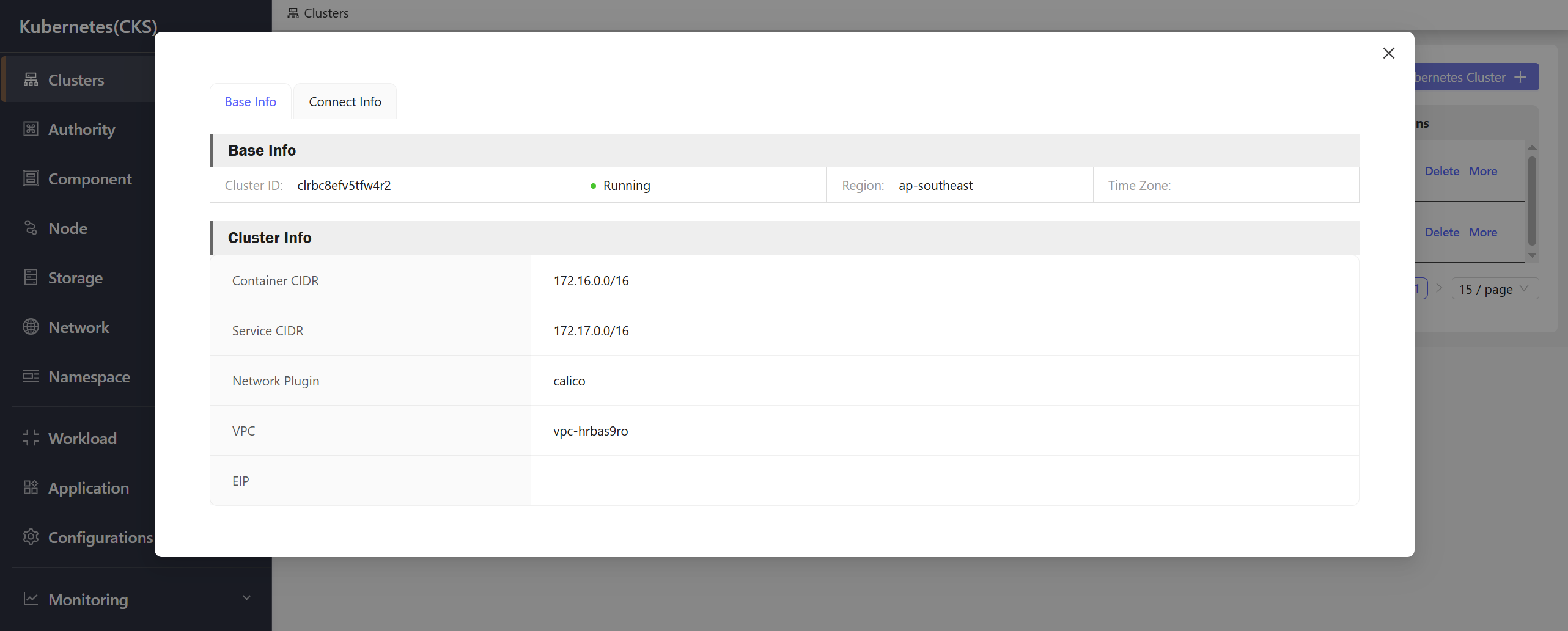
## Base Info
The **Base Info** tab displays the basic information of the cluster:
 ## Connect Info
The **Connect Info** tab provides kubeconfig files for connecting to the cluster:
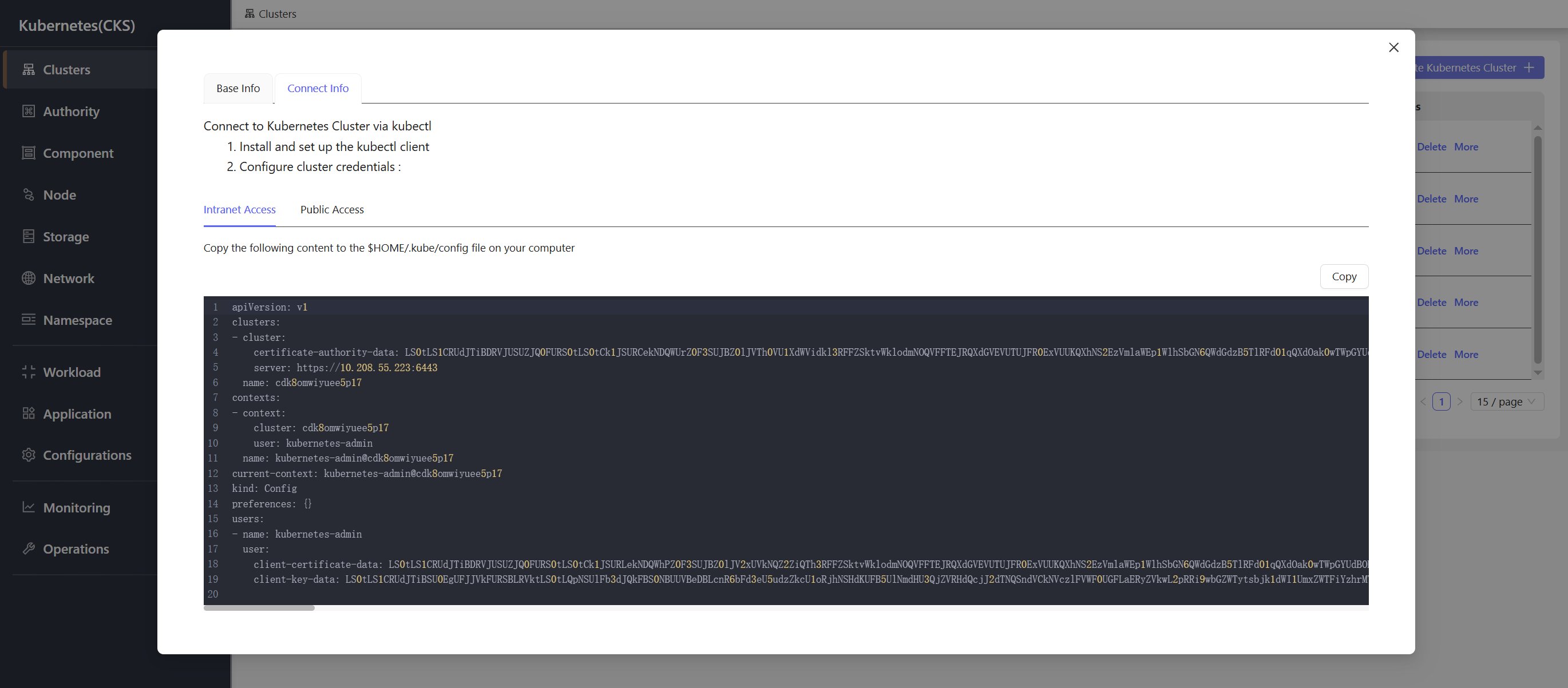
### Intranet Access
Use the intranet kubeconfig to connect to the cluster from within the same VPC network.
## Connect Info
The **Connect Info** tab provides kubeconfig files for connecting to the cluster:
### Intranet Access
Use the intranet kubeconfig to connect to the cluster from within the same VPC network.
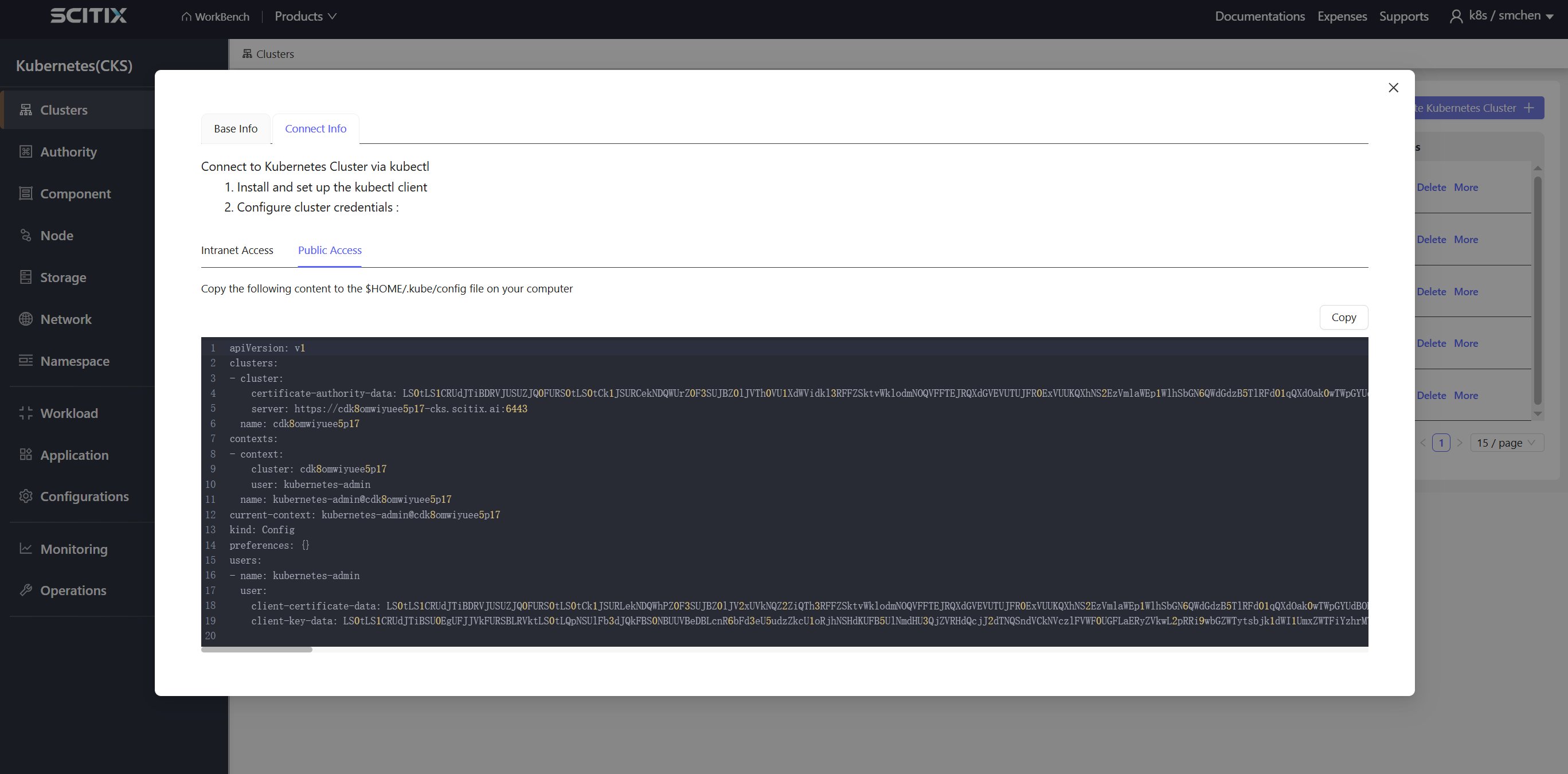
 ### Public Access
Use the public kubeconfig to connect to the cluster from an external network.
### Public Access
Use the public kubeconfig to connect to the cluster from an external network.